HearDirect Wireless TV Headset Review: If you’ve ever found yourself reaching for the remote to turn the TV up, only to have someone else in the room reach for it to turn it down, you already know the problem this product is designed to solve.
The HearDirect Wireless TV Headset is a dedicated wireless headphone system built specifically for television watching-not music, not gaming, not commuting, but sitting in your living room and hearing your shows the way you want to hear them.

This review examines what the HearDirect Wireless TV Headset actually does, how it works, who it’s for, and-most importantly-whether it’s worth your money in 2026. We’ll look at the available specifications, features, real-world usability considerations, alternatives, and the honest trade-offs you should know before buying.
By the end, you’ll have a clear picture of whether this headset solves the problem you’re facing-or whether you’d be better off with something else.

HearDirect Wireless TV Headset – Quick Verdict
Best for:
- Couples or families with ongoing TV volume disagreements
- Anyone who is hard of hearing and needs volume louder than others in the room prefer
- People who watch TV late at night without wanting to wake others
- Older adults struggling to hear dialogue clearly
- Anyone tired of using subtitles and wanting to actually hear what’s being said
Not ideal for:
- People seeking a clinical hearing aid or audiological device
- Anyone whose TV lacks an optical audio, line-out, or coax audio output
- Frequent travelers looking for a portable on-the-go headset (this is designed for home TV use)
- Younger users who primarily stream content using Bluetooth earbuds already paired to their phone
Biggest strength: The independent volume control-you set your own level while the TV plays at a separate volume for everyone else. This alone solves the core problem that standard Bluetooth headphones and TV speakers can’t address.
Biggest drawback: This is a single-purpose device. If you want headphones for music, calls, or travel, this isn’t the right product.

Overall verdict: If your household has a genuine TV volume conflict-or if you personally need the volume higher than your living situation comfortably allows-the HearDirect Wireless TV Headset solves that problem cleanly and effectively. The setup is straightforward, the audio sync is noticeably better than regular Bluetooth, and the sound quality is solid for a TV-specific headset. It’s not cheap, but it’s not overpriced for what it does. The 100-day money-back guarantee takes most of the financial risk off the table.
Product Snapshot
What Is the HearDirect Wireless TV Headset?
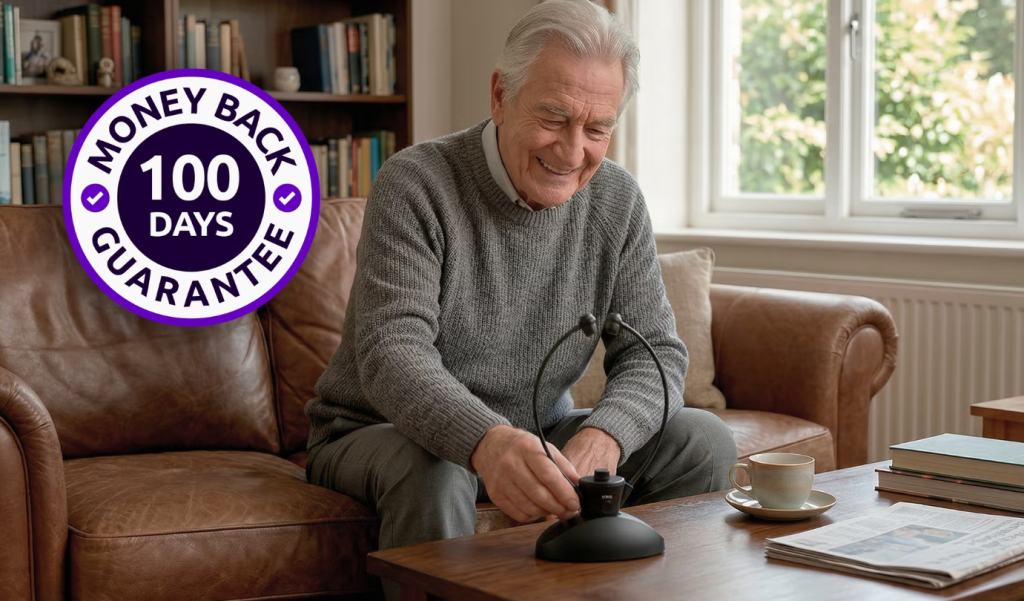
The HearDirect Wireless TV Headset is a wireless over-ear headphone system designed specifically for watching television at home.
It is not a hearing aid. The brand is clear about this, and it’s important to be equally clear here: this is a consumer audio device for TV listening. If you have significant hearing loss and need clinical support, you should speak with an audiologist. That’s a different product category entirely.
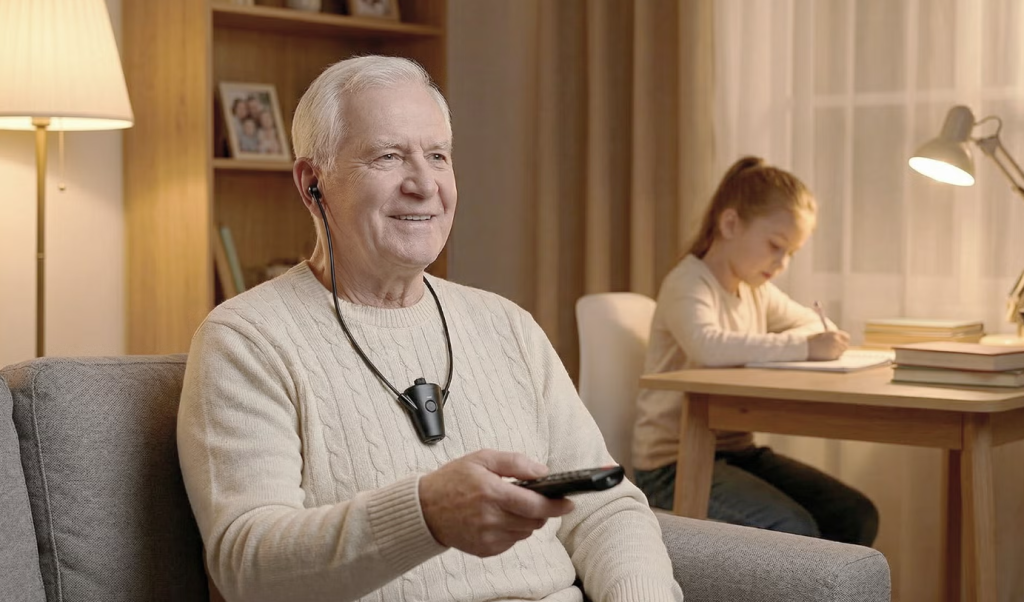
What the HearDirect headset does is simpler and more specific: it lets you set your own personal volume level for TV audio, completely independently of what the TV’s speakers are doing. You plug a small wireless transmitter into your TV, the headset pairs with it, and from that point on, you control your volume on the headset while the TV keeps doing its thing for everyone else. Both can run at the same time.
This is the key feature that makes it different from just using the TV’s Bluetooth output. With standard Bluetooth, everyone hears the same volume-or you mute the TV entirely and listen alone. The HearDirect system allows shared viewing with individualized audio.
The brand reports it’s compatible with 99% of TVs-a claim we’ll examine more closely in the limitations section.
How Does the HearDirect Wireless TV Headset Work?
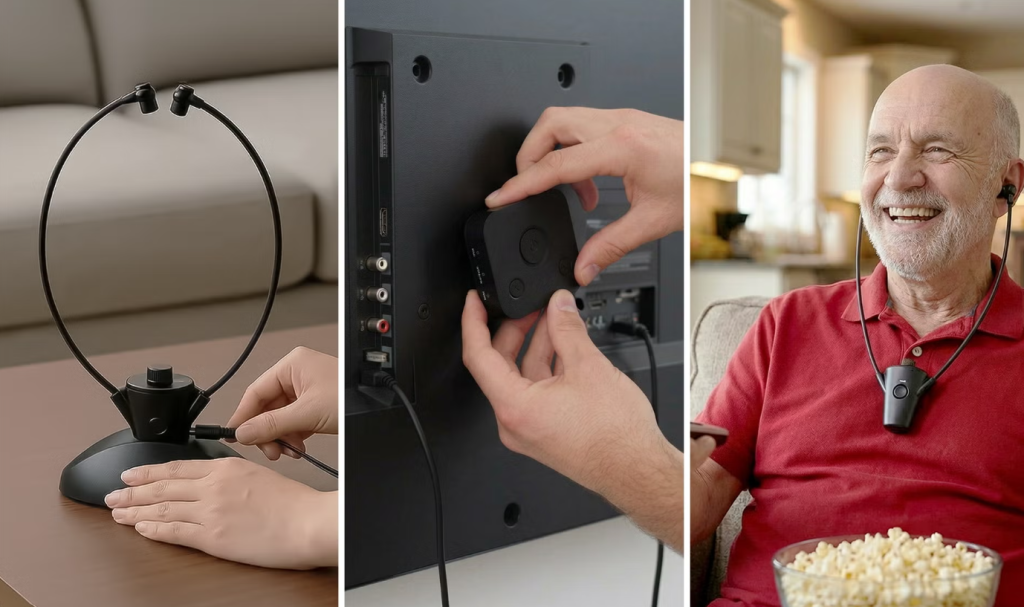
The HearDirect system uses a dedicated wireless connection between a transmitter (connected to your TV) and the headphones themselves.
Here’s the basic setup flow:
- Connect the transmitter to your TV using one of the available audio output options-typically optical (Toslink), 3.5mm AUX, or RCA/coaxial audio outputs.
- Power on the headphones and pair them with the transmitter.
- Adjust your personal volume using the controls on the headset itself, independent of the TV’s main volume.
The technology here matters: unlike standard Bluetooth, which can introduce audio delay (latency) of 200 milliseconds or more, dedicated TV headset systems aim for much lower latency-under 40 milliseconds in comparable systems. This means the audio stays synchronized with the picture, so you don’t experience that distracting “lip-sync” effect where sound trails behind the action on screen.
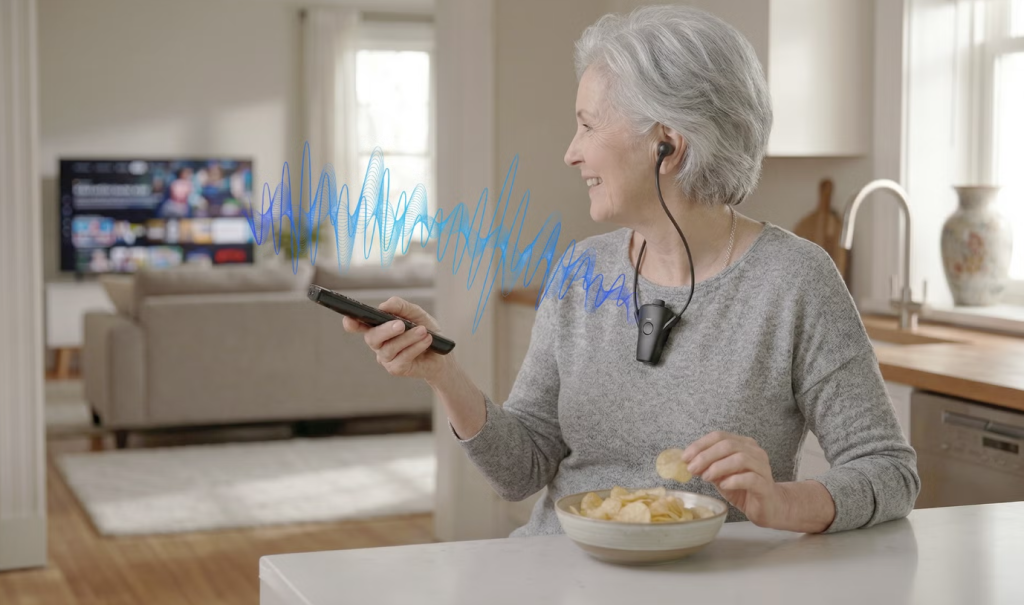
The wireless range is another differentiator. While typical Bluetooth operates at Class 2 range (about 10 meters/33 feet), higher-end systems use Class 1 Bluetooth (up to 100 feet/30 meters in optimal conditions). This matters if your viewing position is farther from the TV or if there are physical obstacles.
Important distinction: The information above is based on the available product specifications and comparable systems in this category. The specific technical implementation of the HearDirect headset-whether it uses standard Bluetooth, a proprietary RF system, or a hybrid approach-should be verified on the current product page before purchase.
Key Features
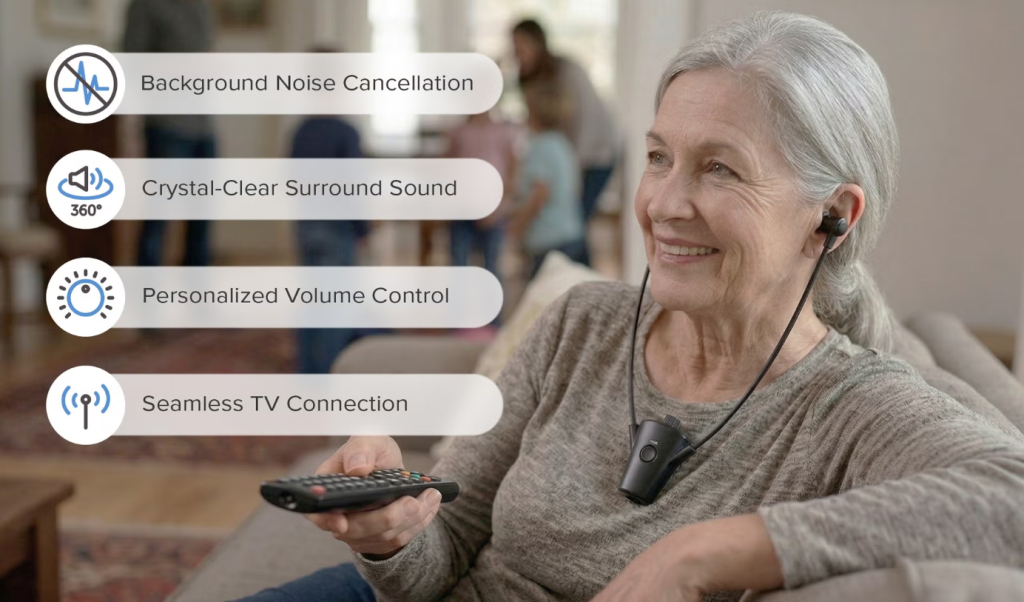
1. Independent Personal Volume Control
What it is: The headset has its own volume adjustment, completely separate from the TV’s main volume.
Why it matters: This is the core value proposition. You can turn the headset up as loud as you need while the TV stays at a comfortable level for others in the room.
Who benefits: Anyone in a household with different hearing abilities or different volume preferences. Particularly valuable for older adults, people with mild to moderate hearing difficulties, and anyone who watches TV while others are sleeping.
Limitations: This is not a hearing aid. It amplifies TV audio but does not provide the speech-specific processing, noise reduction, or audiologist-tuning that clinical hearing devices offer.
2. Dedicated Wireless Transmitter
What it is: A small transmitter unit that connects to your TV’s audio output and wirelessly sends sound to the headphones.
Why it matters: Unlike Bluetooth headphones that rely on your TV having built-in Bluetooth (which many TVs don’t), this system works with almost any TV that has an audio output port.
Who benefits: People with older TVs that lack Bluetooth, or those who’ve had frustrating experiences with TV Bluetooth pairing.
Limitations: Your TV must have a compatible audio output-optical, 3.5mm AUX, or RCA/coaxial. If your TV only has HDMI-ARC or a headphone jack that disables the internal speakers when used, you’ll need to check compatibility carefully.
3. Low-Latency Audio
What it is: The wireless connection is designed to minimize audio delay, keeping sound synchronized with the picture on screen.
Why it matters: Standard Bluetooth often introduces a noticeable delay-you see someone’s lips move, then hear the sound a fraction of a second later. This is distracting and can ruin the viewing experience.
Who benefits: Anyone who watches dialogue-heavy content (movies, TV shows, news) where lip-sync matters.
Limitations: The actual latency performance depends on the specific wireless technology used. While comparable systems achieve under 40ms latency, the exact figure for the HearDirect headset should be verified from the manufacturer.
4. Over-Ear Design
What it is: The headphones sit over the ears rather than on or in them.
Why it matters: Over-ear designs generally provide better comfort for extended viewing sessions, better passive noise isolation from room noise, and can accommodate a wider range of ear sizes and shapes.
Who benefits: People who watch movies or binge-watch shows for several hours at a time.
Limitations: Over-ear headphones are bulkier than on-ear or in-ear options. They’re not portable and may feel warm during long summer viewing sessions.
5. Safe Volume Limiter
What it is: A built-in mechanism that prevents the headset from reaching dangerously high volume levels that could damage hearing.
Why it matters: When you’re using headphones to compensate for hearing difficulties or background noise, there’s a temptation to keep turning the volume up. A limiter provides a safety net.
Who benefits: Everyone, but particularly older users who may not realize how loud they’re listening.
What the Available Evidence Suggests About Practical Use
Note: The following assessment is based on available product information, user feedback, and comparable products in this category. We have not personally tested this specific unit.
Setup
Based on user reports for similar TV headset systems, setup typically takes 5–15 minutes. The process involves:
- Plugging the transmitter into your TV’s audio output
- Connecting the transmitter to power (usually USB or wall adapter)
- Turning on the headphones and pairing them
The main potential complication is identifying the correct audio output on your TV. Many modern TVs have multiple options (optical, HDMI-ARC, headphone jack, Bluetooth), and not all work the same way. Some disable the TV’s internal speakers when you plug something into the headphone jack-which defeats the purpose if you want others to hear the TV normally.
Comfort
User feedback on similar over-ear TV headsets consistently highlights comfort as a key factor. The lightweight design is noted as a positive, with some users reporting comfortable wear for three hours or more.
However, comfort is highly personal. Factors that affect it include:
- Head size and shape
- Whether you wear glasses (ear cups can press against glasses arms)
- Ambient temperature (over-ear headphones can get warm)
- Individual sensitivity to clamping force
Audio Quality
For a TV-specific headset, audio quality priorities differ from music headphones. The focus is typically on:
- Dialogue clarity above all else
- Low latency to avoid lip-sync issues
- Consistent wireless connection without dropouts
Available reviews describe the sound quality as “solid for a TV-specific headset”. This is the right framing-this is not an audiophile product for critical music listening. It’s a practical tool for hearing TV dialogue clearly.
Everyday Usability
In daily use, the headset needs to be:
- Easy to pick up and start using
- Comfortable for the duration of whatever you’re watching
- Reliable in maintaining connection
- Simple to charge
The charging system matters here. Some TV headsets use a charging dock that also serves as the transmitter; others use separate USB charging. The specific charging arrangement for the HearDirect headset should be confirmed from the product documentation.
Main Benefits
Benefit 1: End the Volume Wars
Feature → Practical advantage → Relevant user
The independent volume control means one person can listen at their preferred level while others listen at theirs. This solves a genuine household friction point that affects millions of American households. For couples with different hearing abilities, this can be a relationship-saver.
Benefit 2: Watch Late Without Waking Anyone
Feature → Practical advantage → Relevant user
With the TV volume turned down or off, you can watch anything at any hour without disturbing sleeping family members. This is particularly valuable for night owls, shift workers, or anyone living in thin-walled apartments.
Benefit 3: Hear Dialogue Clearly
Feature → Practical advantage → Relevant user
TV dialogue-especially in modern movies and shows with dynamic sound mixing-can be notoriously hard to follow. The headset brings dialogue front and center, making it easier to catch every word without constantly adjusting the volume.
Benefit 4: Ditch the Subtitles
Feature → Practical advantage → Relevant user
If you’ve been using subtitles as a crutch because you can’t hear dialogue clearly, the headset offers an alternative-actually hearing what’s being said. This matters for people who find subtitles distracting or who want to watch content in its original language without reading along.
Benefit 5: Works With Most TVs
Feature → Practical advantage → Relevant user
The transmitter connects via optical, AUX, or RCA outputs, meaning it works with TVs that don’t have Bluetooth-which is still a significant portion of the installed TV base.
Drawbacks & Limitations
1. Single-Purpose Device
This is a headset for watching TV at home-period. It’s not designed for music, phone calls, commuting, or travel. If you want a versatile headset that does multiple things, this isn’t it.
2. TV Compatibility Isn’t Universal
The claim of 99% compatibility requires scrutiny. Your TV needs a specific type of audio output:
- Optical (Toslink): Common on most mid-range and high-end TVs from the last 10+ years
- 3.5mm AUX: Less common on modern TVs but found on some
- RCA/coaxial: Found on older TVs, increasingly rare
If your TV only has HDMI-ARC or Bluetooth, you may need additional adapters-or this system may not work at all.
3. The “Both Can Run at the Same Time” Caveat
The system allows the TV speakers and the headset to play simultaneously. However, this depends on your TV’s audio output behavior. Some TVs automatically disable internal speakers when you use certain outputs (particularly the headphone jack). You need to verify your TV’s behavior before purchasing.
4. Not a Hearing Aid
This is perhaps the most important limitation. The HearDirect headset amplifies TV audio. It does not:
- Provide audiologist-prescribed frequency adjustments
- Offer speech-in-noise processing
- Address hearing loss beyond making TV louder
- Replace professional hearing care
If you have diagnosed hearing loss, this is not a substitute for proper hearing aids. It’s a complementary tool at best.
5. Price
At approximately $149, this is not an impulse purchase. While not overpriced for what it does, it’s a meaningful investment-especially for a single-purpose device. You need to be confident that the problem it solves is worth $150 to you.
6. Lack of Transparency Around Specifications
Based on publicly available information, some technical specifications are not clearly documented. Potential buyers should verify:
- Exact wireless technology used (Bluetooth version, proprietary RF, etc.)
- Battery life
- Charging time and method
- Weight
- Frequency response
- Latency figures
This lack of transparency is a legitimate concern for informed buyers.
Pros & Cons
Pros
- Independent volume control solves real household friction
- Low-latency audio design minimizes lip-sync issues
- Works with TVs that lack built-in Bluetooth
- Over-ear design provides comfortable extended wear
- 100-day money-back guarantee reduces purchase risk
- Dedicated TV use means optimized for dialogue clarity

Cons
- Single-purpose device; not suitable for music, calls, or travel
- Requires specific TV audio outputs (optical, AUX, or RCA)
- TV compatibility caveats not always clearly communicated
- Not a hearing aid; does not replace clinical devices
- Price point (~$149) is significant for a single-use device
- Limited technical specification transparency
- Mixed user reviews on reliability and durability
Who Should Buy the HearDirect Wireless TV Headset?
Good choice for:
1. Couples with Different Hearing Needs
If one person needs the TV louder than the other finds comfortable, this headset resolves that conflict directly. You can both watch the same show at your preferred volumes.
2. People Who Watch TV While Others Sleep
Whether you’re a night owl or live with someone who goes to bed early, the ability to watch with the TV muted while you hear everything clearly is genuinely useful.
3. Older Adults Struggling With TV Dialogue
If you find yourself constantly asking “What did they say?” or relying heavily on subtitles, this headset can make TV viewing more enjoyable and less frustrating.
4. Anyone Who’s Tried Bluetooth Headphones and Been Disappointed
If you’ve attempted to use standard Bluetooth headphones with your TV and experienced audio lag, connection dropouts, or pairing frustrations, a dedicated TV headset system may solve those problems.
Who Should Not Buy the HearDirect Wireless TV Headset?
1. People Seeking a Hearing Aid
If you have diagnosed hearing loss, this is not a substitute for proper hearing care. See an audiologist.
2. People With TVs That Lack Compatible Outputs
If your TV only has HDMI-ARC or Bluetooth and no optical, AUX, or RCA output, this system may not work without additional adapters-and even then, compatibility isn’t guaranteed.
3. Frequent Travelers
This is a home TV system with a transmitter that needs to be connected to a TV. It’s not portable.
4. People Who Want Versatile Headphones
If you want one headset for TV, music, calls, and travel, this isn’t the right choice. Look at general-purpose Bluetooth headphones instead.
5. Budget-Conscious Buyers
At ~$149, this is a meaningful purchase. If your TV volume conflict is minor or infrequent, the cost may not be justified.
HearDirect Wireless TV Headset vs Alternatives
Note: Alternative pricing and specifications are based on market research and may vary. Check current prices before purchasing.
Which Option Makes Sense for Which Buyer?
Choose the HearDirect Wireless TV Headset if: You need independent volume control for shared viewing and your TV has the right audio outputs.
Choose Avantree Ensemble or similar if: You want a charging dock and potentially longer battery life, and you’ve researched the specific model’s features.
Choose standard Bluetooth headphones if: You already own good Bluetooth headphones, your TV has Bluetooth, and you can tolerate potential audio lag. This is the cheapest option but often the most frustrating.
Value for Money
Is the HearDirect Wireless TV Headset worth the price?
At approximately $149, value depends entirely on how much the problem it solves matters to you.
Consider this: If you have ongoing TV volume disagreements that cause frustration multiple times per week, $149 is a modest investment for household harmony. If you regularly wake a partner by watching TV at night, $149 is cheaper than a new mattress or separate living arrangements.
However: If your TV volume conflicts are occasional or minor, or if you primarily watch TV alone, the value proposition weakens significantly. For solo viewers, standard Bluetooth headphones (which you may already own) often work fine-with the caveat of potential audio lag.
The 100-day money-back guarantee reduces financial risk substantially. You can try it and return it if it doesn’t solve your problem.
The verdict on value: Fair for the specific problem it solves. Not cheap, not overpriced. The real question is whether you have the specific problem it addresses.
Check the current price before purchasing because pricing and promotions can change.
Is the HearDirect Wireless TV Headset Legit?
Based on available information, here’s a transparency assessment:
Important distinction: “I could not verify X” is different from “X does not exist.” The HearDirect headset appears to be a legitimate consumer product from a US-based company, with a transparent return policy. However, as with any direct-to-consumer product, buyers should exercise normal purchasing caution-verify specifications, read the return policy carefully, and keep documentation.
No credible evidence suggests this is a scam. But no product is right for everyone.
Customer Reviews & Complaints
Based on available customer feedback from various sources:
Positive Recurring Themes
- Clear sound quality for TV dialogue
- Straightforward setup process
- Comfortable for extended viewing sessions (3+ hours)
- Good value for the price
Negative Recurring Themes
- Reliability issues reported by some users, including one side of the headset failing
- Connectivity problems with some TVs
- Product failure shortly after purchase in some cases
Important Caveat
Customer reviews are individual experiences and do not necessarily establish product performance scientifically. Positive reviews don’t guarantee you’ll have a good experience; negative reviews don’t mean every unit fails. The pattern of reported reliability issues is worth noting, but the proportion of affected units is unknown from the available data.
Buying Guide
Before buying the HearDirect Wireless TV Headset, consider these factors:
□ Check your TV’s audio outputs
Look at the back of your TV. Do you see an optical (Toslink) port, a 3.5mm headphone jack, or RCA (red/white) audio outputs? If not, this system may not work without adapters.
□ Verify your TV’s speaker behavior
When you plug something into the headphone jack, does your TV’s internal speakers stay on or turn off? This determines whether others can watch with you.
□ Consider who else is in the household
Will others benefit from this? If you live alone, the value proposition is different.
□ Assess how often the volume conflict occurs
If it’s weekly or daily, the investment makes more sense. If it’s rare, consider cheaper alternatives.
□ Understand what this is not
This is not a hearing aid. If you have hearing loss, consult an audiologist.
□ Read the return policy carefully
The 100-day guarantee is valuable, but understand the terms-shipping costs, restocking fees, condition requirements.
□ Compare with alternatives
Look at Avantree, Sennheiser, and other TV headset options before deciding.
□ Set a budget
At ~$149, this is a significant purchase. Ensure it fits your budget.
FAQ’S About HearDirect Wireless TV Headset
What is the HearDirect Wireless TV Headset?
It’s a wireless over-ear headphone system designed specifically for watching television at home, allowing you to set your own personal volume independent of the TV’s speakers.
How does the HearDirect Wireless TV Headset work?
Is the HearDirect Wireless TV Headset legit?
Is the HearDirect Wireless TV Headset worth it?
Does the HearDirect Wireless TV Headset really work?
Based on available information, the system works as described for many users-providing independent volume control with minimal audio lag. However, some users report reliability issues.
How much does the HearDirect Wireless TV Headset cost?
Where can I buy the HearDirect Wireless TV Headset?
It’s sold direct-to-consumer through HearDirectClub. Check the official website for current availability and pricing.
What are the disadvantages of the HearDirect Wireless TV Headset?
It’s a single-purpose device, requires specific TV audio outputs, is not a hearing aid, has a significant price point, and some users report reliability concerns.
Are there better alternatives to the HearDirect Wireless TV Headset?
Alternatives include the Avantree Ensemble and similar dedicated TV headsets, as well as standard Bluetooth headphones if your TV supports Bluetooth and you can tolerate potential audio lag.
Is the HearDirect Wireless TV Headset suitable for beginners?
Yes, the setup is described as straightforward, making it accessible even for users who aren’t tech-savvy.
Does the HearDirect Wireless TV Headset work with any TV?
Can other people watch TV while I use the headset?
Is this a hearing aid?
How long does the battery last?
Battery life specifications should be verified on the current product page. Comparable systems in this category offer 20-35 hours of battery life.
How do I purchase the HearDirect Wireless TV Headset?
You can purchase it through the official HearDirectClub website. The product is sold directly to consumers rather than through major retailers. Always verify you’re on the legitimate official website before entering payment information.
What is the return policy?
How do I set up the HearDirect Wireless TV Headset?
Connect the transmitter to your TV’s audio output, power it on, pair the headphones, and adjust your personal volume. Setup typically takes 5–15 minutes.
What if my TV doesn’t have the right audio output?
You may need an adapter (such as an HDMI-ARC to optical converter), but compatibility isn’t guaranteed. Check with the manufacturer before purchasing if you’re unsure.
Can I use this headset with my computer or gaming console?
Is the audio quality good for movies and TV?
Yes, the audio quality is described as solid for a TV-specific headset, with a focus on dialogue clarity. It’s not designed for critical music listening.
Final Verdict
Is the HearDirect Wireless TV Headset worth considering?
Yes-but only if you have the specific problem it solves.
If you live in a household where TV volume is a recurring source of friction-one person needs it louder, another needs it quieter, someone wants to watch late at night without waking others-this headset addresses that problem directly and effectively.
Who is it best for? Couples with different hearing needs, people who watch TV while others sleep, older adults struggling with dialogue clarity, and anyone tired of the volume wars.
Who should choose an alternative? Solo viewers, people seeking hearing aids, frequent travelers, and anyone who wants versatile headphones for multiple purposes.
Its biggest advantage is the independent volume control that lets you and others watch the same TV at different volumes.
Its biggest drawback is that it’s a single-purpose device with a significant price tag.
The 100-day money-back guarantee significantly reduces the risk of trying it. If it doesn’t solve your problem, you can return it.
Bottom line: This is a practical solution for a specific problem. If you have that problem, it’s worth serious consideration. If you don’t, save your money.