Camera Drone Buying Guide: You’ve seen the shots-the sweeping mountain vista, the impossibly smooth tracking shot through a forest, the overhead reveal of a coastline that makes you feel like you’re in a movie. And you’ve probably wondered: can I do that too?
The answer is yes-but the path from “I want a drone” to “I’m capturing stunning aerial footage” is littered with confusing specs, overlapping model names, and regulations that seem designed to trip you up. Walk into any discussion about camera drones today and you’ll hear terms like 1-inch CMOS, O4+ transmission, omnidirectional obstacle sensing, and sub-250g thrown around as if everyone already knows what they mean.
They don’t. And that’s fine.
This guide cuts through the noise. Whether you’re a complete beginner looking for your first drone, a photographer expanding into the air, or a content creator who needs the right tool for the job, you’ll walk away knowing exactly what matters, what doesn’t, and which drone actually fits your life.
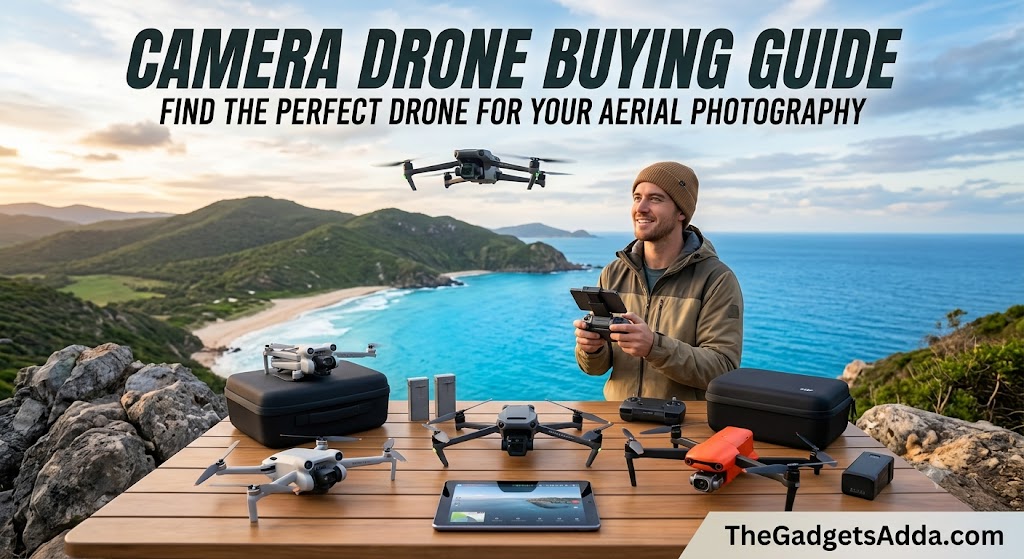
We’ll cover everything from camera sensors and flight performance to FAA regulations and the real-world trade-offs that reviews often gloss over. No fluff. No jargon for the sake of it. Just the practical information you need to make a confident decision.
What Is a Camera Drone?
A camera drone is an unmanned aerial vehicle (UAV) equipped with an integrated camera system, designed specifically for capturing photos and video from the air. Unlike toy drones that might carry a basic camera as an afterthought, a proper camera drone pairs a stabilized gimbal with a capable image sensor, intelligent flight modes, and enough battery life to actually get useful shots.
The key distinction is intent. A camera drone is a flying camera first and an aircraft second. Every design decision-from the propeller guards to the transmission system-revolves around getting better images from perspectives that were once impossible without a helicopter.
Why This Matters Now More Than Ever
The camera drone market in 2026 is at an interesting inflection point. The technology has matured to the point where even entry-level drones produce footage that would have been considered professional-grade five years ago. At the same time, regulations have caught up, and the FCC’s foreign drone ban has reshaped what’s actually available in the US market.
What hasn’t changed is the basic challenge: choosing the wrong drone means wasting money on features you don’t need or, worse, buying something that can’t do what you actually want it to do.
The good news? The gap between entry-level and professional has never been narrower. A $500 drone today delivers image quality that rivals $1,500 drones from just a few years ago. The bad news? The sheer number of options makes the buying decision more complicated than ever.
How Camera Drones Work: The Core Systems
Before we get into specific models and recommendations, you need to understand the five systems that determine how a drone performs. These are the levers that manufacturers pull to differentiate their products, and understanding them is the key to making an informed choice.
The Camera System
This is the obvious one, but it’s also the most misunderstood. A drone’s camera isn’t just about megapixels.
Sensor size matters more than megapixel count. A larger sensor captures more light, which means better dynamic range, less noise in low light, and more flexibility in post-production. The hierarchy generally looks like this:
- 1/2.3-inch or 1/2-inch sensors: Entry-level, good in bright light, struggles at dusk
- 1/1.3-inch sensors: Mid-range, significantly better low-light performance
- 1-inch sensors: Enthusiast/prosumer, excellent dynamic range, genuine low-light capability
- 4/3-inch (Micro Four Thirds): Professional, used in flagship models like the Mavic 4 Pro
Megapixels matter for still photography, especially if you plan to crop or print large. But for video, resolution (4K, 5.1K, 6K, 8K) and bit depth (8-bit vs 10-bit) are more important. 10-bit video captures over a billion colors compared to 16 million in 8-bit-a massive difference if you color-grade your footage.
The lens matters too. Some drones offer fixed wide-angle lenses; higher-end models include multiple lenses (wide-angle plus telephoto) for creative flexibility.
The Gimbal
A camera drone is useless if every shot looks like an earthquake. The gimbal is a three-axis motorized stabilizer that keeps the camera level and smooth regardless of how the drone moves.
This is non-negotiable. If a drone lacks a proper 3-axis gimbal, it’s not a serious camera drone-it’s a toy with a camera attached. The gimbal’s job is to isolate the camera from the drone’s vibrations, wind buffeting, and flight movements, delivering footage that looks like it was shot on a track.
The Flight System
Flight performance affects your ability to get the shot. Key factors include:
Flight time is the maximum minutes you can stay airborne on a single battery. Realistically, you’ll get about 70-80% of the advertised number in actual flying conditions (wind, aggressive maneuvering, cold temperatures all reduce flight time).
Typical ranges in 2026:
- Entry-level: 20-30 minutes
- Mid-range: 30-40 minutes
- Professional: 40-50+ minutes
Transmission range determines how far you can fly while maintaining a clear video feed to your controller. DJI’s O4+ system claims up to 20 km (12.4 miles) in ideal conditions. In practice, legal visual-line-of-sight restrictions mean you’ll rarely use even a fraction of that.
Obstacle avoidance ranges from basic forward sensors to omnidirectional systems that detect obstacles in every direction. More sensors = safer flying, especially for beginners. But they add weight and cost.
The Transmission System
The video transmission system sends the camera’s live feed to your controller or phone. Latency (delay) and range are the key metrics. Modern systems like DJI’s O4+ deliver 1080p60 feeds with minimal lag, which matters for precise framing and FPV flying.
The Battery System
Drone batteries are typically lithium-polymer (LiPo) packs. They degrade over time-expect roughly 200-300 charge cycles before performance noticeably fades. Factor replacement battery costs into your budget, especially if you plan to fly frequently.
The 2026 Camera Drone Landscape: What’s Available
The US market in 2026 is dominated by DJI, though other players like Potensic, HoverAir, and Autel offer alternatives. DJI’s lineup is so comprehensive that understanding it effectively means understanding most of the market.
DJI’s 2026 Lineup: A Quick Guide
DJI organizes its consumer drones into clear tiers:
Beyond DJI: Other Options
While DJI dominates, other brands offer compelling alternatives:
Potensic produces solid budget options like the Atom 2, which includes Remote ID and competitive features at lower price points.
HoverAir specializes in self-flying, pocketable drones like the X1 Pro Max, which can operate without a traditional controller.
Antigravity offers 360-degree camera drones that compete with DJI’s Avata line.
Autel and Skydio remain options for those seeking alternatives to DJI, though availability has been affected by the FCC’s foreign drone ban.
What to Look For: The Decision Framework
Instead of getting lost in spec sheets, work through these questions in order. They’ll narrow your options dramatically.
1. What Do You Actually Want to Shoot?
This is the most important question, and most people skip it.
Landscapes and travel: Prioritize sensor size, dynamic range, and portability. The DJI Mini 5 Pro or Air 3S are natural fits.
Vlogs and social media: Look for vertical video support, ease of use, and quick setup. The DJI Flip or Mini 4 Pro excel here.
Real estate or inspections: You need a telephoto lens for detail shots. The Air 3S’s dual-lens system is ideal.
Action sports or dynamic shots: Consider FPV drones like the DJI Avata 2 for immersive, fast-moving footage.
Professional filmmaking: The Mavic 4 Pro with its 4/3 sensor and 6K video is the current benchmark.
360-degree content: The Avata 360 or Antigravity A1 are your primary options.
2. What’s Your Experience Level?
Complete beginner: You need something forgiving. Propeller guards, simple controls, and automated flight modes matter more than camera specs. The DJI Neo 2 or Flip are designed for you.
Casual user: You want good shots without complexity. The Mini 4 Pro or Mini 5 Pro offer excellent image quality with minimal learning curve.
Enthusiast: You’re willing to learn manual controls and post-processing. The Air 3S gives you room to grow.
Professional: You need manual control, log profiles, and high bitrates. The Mavic 4 Pro is the tool for the job.
3. What’s Your Real Budget?
Don’t just look at the drone’s price. Factor in:
- Extra batteries: You’ll want at least 2-3 total for any serious session
- A carrying case or bag: Drones are delicate
- ND filters: Essential for controlling exposure in video
- A better controller: Some drones ship with basic controllers; the upgraded versions are significantly better
- Replacement parts: Propellers are consumables
The “Fly More” or “Combo” packages that include extra batteries and accessories are almost always better value than buying piecemeal.
4. Do You Care About FAA Registration?
Drones weighing 250 grams or more must be registered with the FAA for recreational use. Registration costs $5 and lasts three years.
Sub-250g drones (like the DJI Mini series, Flip, and Neo 2) do not require registration for recreational flying.
This is a meaningful distinction. Registration isn’t difficult, but sub-250g drones are more convenient for travel, spontaneous flights, and flying in areas where you’d rather not deal with paperwork.
However-and this is important-if you plan to fly commercially (even with a sub-250g drone), you still need a Part 107 certificate and must register your drone.
5. What Kind of Flying Will You Do?
Travel: Weight and size are critical. You want something that fits in a backpack or even a large pocket.
Local flying: Flight time and camera quality matter more than portability.
Indoor or tight spaces: Propeller guards and obstacle avoidance are essential.
Windy conditions: Heavier drones handle wind better. Sub-250g drones get pushed around more.
Key Features Explained: What Actually Matters
Sensor Size vs. Megapixels
A 48MP 1/1.3-inch sensor (Mini 4 Pro) and a 50MP 1-inch sensor (Mini 5 Pro) might sound similar on paper. They’re not. The 1-inch sensor has roughly 70% more surface area than the 1/1.3-inch sensor. That translates directly to better low-light performance, more dynamic range, and less noise.
For still photography, higher megapixels let you crop more aggressively. For video, sensor size matters more than resolution.
HDR, Log, and Bit Depth
If you plan to edit your footage, these matter enormously:
HDR (High Dynamic Range) captures more detail in both shadows and highlights. Most modern drones support HDR video.
Log profiles (like D-Log or D-Log M) flatten the image so you can color-grade it in post-production. They preserve more information but require editing to look good.
10-bit video captures over a billion colors versus 16 million in 8-bit. The difference is visible when you push the footage in editing.
If you’re just sharing straight to social media, you might not care. If you’re doing serious video work, these features are essential.
Obstacle Avoidance: How Much Do You Need?
Obstacle avoidance ranges from basic forward sensors to omnidirectional systems with LiDAR.
Forward-only: Detects obstacles in front. Better than nothing but limited.
Omnidirectional: Sensors in all directions. The Mini 4 Pro, Air 3S, and Mavic 4 Pro offer this.
With LiDAR: Adds laser-based sensing for better accuracy, especially in low light.
For beginners, more obstacle avoidance is better-it literally saves your drone from crashes. For experienced pilots flying in open spaces, it’s less critical.
Flight Time: The Real Numbers
Advertised flight times are measured in ideal conditions (no wind, hovering, optimal temperature). Real-world flight time is typically 20-30% less.
- Mini 4 Pro: 34 minutes advertised, ~30 minutes real
- Mini 5 Pro: 36 minutes advertised, ~52 with Plus battery
- Air 3S: ~46 minutes advertised
- Mavic 4 Pro: 51 minutes advertised
The Plus battery on the Mini 5 Pro pushes it over 250g, which means FAA registration becomes required.
Transmission: Range vs. Reality
Modern transmission systems claim incredible ranges-DJI’s O4+ claims up to 20 km. But FAA regulations require you to keep the drone within visual line of sight. For most people, that means staying within a few hundred meters.
The real benefit of good transmission isn’t range-it’s reliability. A strong transmission system means fewer dropouts and a clearer feed even when there are obstacles between you and the drone.
Common Mistakes When Buying a Camera Drone
Mistake #1: Buying Based on Specs Alone
A drone with “4K” on the box isn’t automatically good. Sensor size, bitrate, and lens quality matter more than resolution. Some cheap drones technically shoot 4K but look worse than a good 1080p drone.
Mistake #2: Ignoring the Weight
That sub-250g drone might have a slightly smaller sensor, but the convenience of not registering, the ability to travel internationally without hassle, and the lower risk of regulatory issues often outweigh the camera compromise.
Mistake #3: Forgetting About Post-Flight Costs
The drone is just the beginning. Extra batteries, a better charger, ND filters, a carrying case, and potentially a tablet for the controller all add up. Budget 20-30% above the drone’s price for accessories.
Mistake #4: Overestimating Your Skill Level
That professional drone with 6K video and manual everything will just frustrate you if you’re new. Start with something simpler, learn the fundamentals, then upgrade. The used market is full of expensive drones that were bought by beginners who never mastered them.
Mistake #5: Skipping the TRUST Test
All recreational flyers must pass the FAA’s TRUST test before flying. It’s free, online, and takes about 30 minutes. You can re-take it until you pass. There’s no excuse not to do it.
Step-by-Step: How to Choose Your Drone
- Define your primary use case. Write down what you’ll actually shoot. Be honest.
- Set your total budget. Include accessories, not just the drone.
- Decide on FAA registration. Sub-250g vs over-250g is a meaningful choice.
- Identify your must-have features. Sensor size? Obstacle avoidance? Telephoto lens?
- Research 2-3 models that fit your criteria. Don’t look at 10-it’s overwhelming.
- Read reviews from trusted sources. PCMag, Stuff, Amateur Photographer, and Digital Camera World all do thorough testing.
- Consider the “Fly More” bundle. Almost always better value than buying separately.
- Check the used market. Drones depreciate quickly. A gently used previous-generation model can be excellent value.
- Buy from a reputable retailer with a good return policy. Drones can have issues that only appear after a few flights.
- Take the TRUST test before your first flight. It’s the law, and it teaches you things you actually need to know.
Expert Recommendations by Use Case
These are consensus picks based on extensive testing by professional reviewers:
Best Overall for Most People
DJI Air 3S: The dual-lens system, 1-inch sensor, and omnidirectional obstacle avoidance make it the most versatile drone at its price point. It’s suitable for beginners but has enough capability to grow with you.
Best Ultralight (Sub-250g)
DJI Mini 5 Pro: The 1-inch sensor in a sub-250g package is a genuine breakthrough. It delivers professional-quality images without the registration headache.
Best for Beginners
DJI Flip: At 249g with built-in propeller guards and palm-launch capability, it’s incredibly approachable. The image quality is excellent for the price.
Best Budget Option
DJI Mini 4K: At around $209 during sales, it’s an entry-level 4K drone that avoids FAA registration. The camera is basic but produces solid results in good light.
Best for Professionals
DJI Mavic 4 Pro: The triple-camera system with a 4/3 sensor, 100MP stills, and 6K video sets the standard. It’s expensive but justifies the cost for serious work.
Best FPV / Immersive Flying
DJI Avata 2: The first-person view experience is unmatched for dynamic, immersive footage.
Best 360-Degree Drone
DJI Avata 360: 8K 360-degree video with O4+ transmission in a relatively user-friendly package.
FAA Regulations: What You Must Know
Recreational Flying (Section 44809)
- Pass the TRUST test (free, online, takes ~30 minutes) and carry proof
- Register your drone if it weighs 250g or more ($5, valid 3 years)
- Fly within visual line of sight
- Stay below 400 feet above ground level
- Follow CBO safety guidelines
Commercial Flying (Part 107)
If you fly for work or business purposes, you need:
- An FAA Part 107 Remote Pilot Certificate (pass the Aeronautical Knowledge Test, ~$175 exam fee)
- Registration for all drones, regardless of weight
- Recurrent training every two years
Remote ID
As of March 2026, all registered drones must comply with Remote ID requirements. This broadcasts the drone’s location and identification. Most modern drones have this built in; older drones may need an add-on module.
Where You Can Fly
- Class G airspace: Generally okay below 400 feet
- Controlled airspace (near airports): Requires authorization through the FAA’s LAANC system
- National parks: Generally prohibited
- State and local parks: Varies-check local rules
Use the FAA’s B4UFLY app to check airspace restrictions before you fly.
Cost Breakdown: What to Expect
| Category | Price Range | Notes |
|---|---|---|
| Toy/selfie drones | $100-300 | Limited camera quality, short flight time |
| Entry-level camera drones | $300-600 | 4K video, sub-250g options, basic obstacle avoidance |
| Mid-range | $600-1,200 | 1/1.3-inch or 1-inch sensors, good obstacle avoidance |
| Enthusiast | $1,200-2,000 | Dual-lens, 1-inch sensors, omnidirectional avoidance |
| Professional | $2,000-4,000+ | 4/3 sensors, 6K+ video, advanced features |
| Extra batteries | $50-200 each | You’ll want at least 2-3 |
| ND filter set | $30-80 | Essential for video in bright conditions |
| Carrying case | $30-150 | Protects your investment |
| Controller upgrades | $100-500 | Better screen, more reliable connection |
Key Takeaways
- Sensor size matters more than megapixels-a 1-inch sensor is dramatically better than 1/1.3-inch for low light and dynamic range
- Sub-250g drones avoid FAA registration but may compromise on camera quality and wind handling
- Obstacle avoidance saves drones-omnidirectional systems are worth the extra cost for beginners
- Real-world flight time is 20-30% less than advertised-buy extra batteries
- The TRUST test is free and mandatory-take it before your first flight
- Buy the “Fly More” bundle-it’s almost always better value
- Your use case determines your drone-don’t buy based on specs alone
Frequently Asked Questions
What is the best camera drone for beginners in 2026?
The DJI Flip is widely considered the best beginner drone. It weighs 249g (no FAA registration), has built-in propeller guards for safety, supports palm launching, and delivers excellent image quality for its price. The DJI Neo 2 is a more affordable alternative that also prioritizes ease of use.
Do I need to register my drone with the FAA?
What’s the difference between the DJI Mini 4 Pro and Air 3S?
The Mini 4 Pro is sub-250g (no registration), has a 1/1.3-inch sensor, and costs less. The Air 3S is heavier (requires registration), has a 1-inch main sensor plus a telephoto lens, and offers better image quality, especially in low light. Choose the Mini 4 Pro for portability and convenience; choose the Air 3S for image quality.
How long do drone batteries actually last?
Advertised flight times are measured in ideal conditions. Real-world flight time is typically 70-80% of the claimed number. For example, a drone claiming 34 minutes will usually deliver 25-30 minutes in actual flying conditions. Cold weather, wind, and aggressive flying all reduce battery life further.
Can I fly a drone in a national park?
Generally, no. The National Park Service prohibits drone launches, landings, and operations in most national parks. Some state and local parks have their own rules-check before you fly.
What is the TRUST test and do I have to take it?
How much does a good camera drone cost?
Entry-level camera drones start around $300-500. Mid-range options run $600-1,200. Enthusiast drones are $1,200-2,000. Professional drones cost $2,000-4,000+. Remember to budget for extra batteries and accessories.
What’s the best drone for aerial photography (not video)?
For still photography, prioritize sensor size and megapixels. The DJI Mavic 4 Pro (100MP, 4/3 sensor) is the current leader. The DJI Mini 5 Pro (50MP, 1-inch sensor) is excellent in a sub-250g package.
Can I fly my drone at night?
Recreational flyers can fly at night as long as the drone has anti-collision lighting visible for 3 miles. Commercial (Part 107) pilots need specific night training and authorization.
What happens if I fly without registering my drone?
Flying an unregistered drone that requires registration is a federal violation. The FAA can impose civil penalties and fines. It’s $5 and takes 10 minutes-just register.
How do I find out where I can fly?
What is Remote ID and do I need it?
Remote ID is like a digital license plate for your drone, broadcasting its location and identification. All registered drones must comply with Remote ID requirements as of March 2026. Most modern drones have it built in.
The Verdict: Which Drone Should You Buy?
After all of that, here’s the straightforward answer for most people:
If you’re a beginner: Buy the DJI Flip. It’s forgiving, registration-free, and produces excellent footage. You won’t outgrow it quickly, and if you do, you’ll know exactly what you want in your next drone.
If you’re a traveler or vlogger: Buy the DJI Mini 5 Pro. The 1-inch sensor in a sub-250g package is the sweet spot for image quality and convenience.
If you’re serious about image quality: Buy the DJI Air 3S. The dual-lens system gives you creative flexibility that single-lens drones can’t match.
If you’re a professional: Buy the DJI Mavic 4 Pro. Nothing else at this level matches its combination of image quality, flight time, and portability.
If you’re on a tight budget: Buy the DJI Mini 4K when it’s on sale (often under $250). It shoots 4K, avoids FAA registration, and will teach you what you actually need.