You’re standing in a storage room packed with filing cabinets. Each drawer holds thousands of pages-invoices, contracts, employee records, client files. Finding one specific document means pulling folders, flipping pages, and hoping it wasn’t misfiled. Your team wastes hours every week hunting for information that should be seconds away.
This isn’t just inconvenient. It’s costing you money.
Document scanning services exist to solve exactly this problem. Professional digitization transforms mountains of paper into searchable, accessible digital files-freeing up space, speeding up workflows, and protecting your information from disasters. But not all scanning services are created equal, and choosing the wrong one can lead to security breaches, poor image quality, or wasted budget.
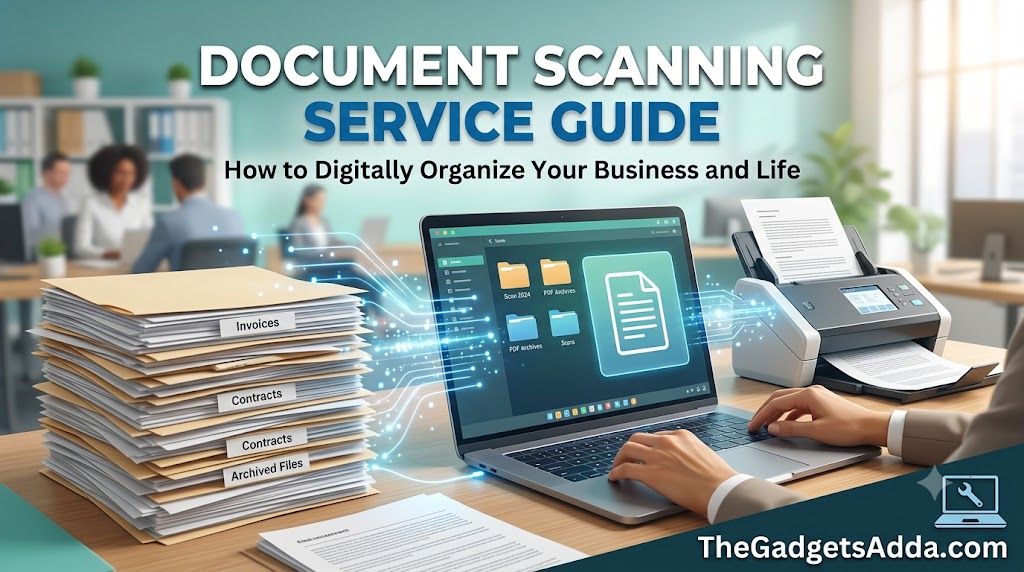
This guide walks you through everything you need to know: what document scanning services actually do, how much they cost, the different types available, what to look for in a provider, and how to avoid costly mistakes. Whether you’re digitizing a few boxes or an entire records room, you’ll leave with a clear understanding of how to get it right.
What Is a Document Scanning Service?
A document scanning service is a professional offering that converts physical paper records into digital files. Unlike using a desktop scanner in your office, these services use high-speed industrial equipment, specialized software, and trained teams to process large volumes of documents quickly and accurately.
The process goes beyond simply feeding paper through a scanner. Professional services handle:
- Document preparation – Removing staples, paper clips, and sticky notes; repairing damaged pages; and organizing materials for efficient scanning
- High-speed capture – Using scanners with Automatic Document Feeders (ADFs) that process hundreds of pages per minute
- Image enhancement – Straightening skewed pages, removing spots and shadows, and optimizing readability
- Optical Character Recognition (OCR) – Converting scanned images into searchable, editable text
- Indexing and metadata – Adding searchable tags so you can find documents by date, client name, invoice number, or other criteria
- Quality assurance – Reviewing every page to ensure legibility and completeness
- Secure delivery – Returning digital files via encrypted transfer, secure cloud storage, or physical media
The end result is a digital archive that’s fully searchable, accessible from anywhere, and protected against loss or damage.
Why OCR Matters
Without OCR, a scanned document is essentially a photograph-you can see it, but you can’t search it. OCR technology identifies alphanumeric characters on each page and converts them into machine-readable text. This is what makes your digital files searchable by keywords, phrases, or specific data points. For high-volume archives, OCR isn’t a luxury; it’s essential. Without search capability, you’re just replacing one storage problem with another.
Why Document Scanning Services Matter
Paper records create real business problems. They take up expensive office space, slow down daily operations, and put your information at risk. Professional scanning services address all of these issues systematically.
The Space Problem
A standard four-drawer filing cabinet holds roughly 10,000 to 12,000 pages and occupies about 12 square feet of floor space. In commercial real estate, that space comes at a premium. Now multiply that by dozens of cabinets across multiple offices. The cost of storing paper far exceeds what most organizations realize.
The Time Problem
Employees spend an average of 30 to 40 percent of their time looking for information in paper files. Every minute spent hunting for a misplaced document is a minute not spent on productive work. When documents are digitized and properly indexed, retrieval time drops from minutes or hours to seconds.
The Risk Problem
Paper is fragile. Fire, flood, theft, or simple deterioration can destroy years of records in an instant. Digital archives, properly backed up, survive disasters that would obliterate physical files. Digital files also offer better access control-you can restrict sensitive documents to specific employees and track who views what.
Signs You Need a Document Scanning Service
Consider professional scanning if you’re experiencing any of these pain points:
- Running out of space for filing cabinets or storage boxes
- Employees spending too much time tracking down paperwork
- Preparing for an office move, system upgrade, or internal cleanup
- Having lost files before or struggling to keep versions consistent
- Needing more control over privacy, access, or data security
How Document Scanning Services Work
Understanding the workflow helps you know what to expect and how to prepare. Here’s the typical process from start to finish.
Stage 1: Project Planning and Assessment
Before any scanning begins, a reputable service will assess your documents. They’ll ask about volume, document types, condition, and your specific requirements. This is when you’ll discuss:
- How many boxes, drawers, or linear feet of documents you have
- Whether documents are mixed sizes (letters, legal, oversized)
- The condition of the documents (fragile, water-damaged, etc.)
- Your desired file formats (PDF, TIFF, JPEG, etc.)
- Whether you need OCR and searchability
- How you want files organized and indexed
- Security and compliance requirements
- Turnaround time expectations
A good provider will give you a detailed quote based on this information, not a generic price per page.
Stage 2: Document Preparation
This is the most labor-intensive step and often the most overlooked. Preparation involves:
- Removing staples, paper clips, and bindings
- Flattening folded or curled pages
- Repairing tears with archival tape
- Separating mixed document sizes
- Inserting blank separator pages between distinct documents for automated splitting
Proper preparation prevents scanner jams, reduces equipment wear, and ensures clean digital images. It also accounts for a significant portion of the total cost-which is why some services charge extra for documents that require extensive handling.
Stage 3: High-Speed Capture
Documents are fed through industrial scanners equipped with Automatic Document Feeders (ADFs). These machines can process anywhere from 50 to over 200 pages per minute, depending on the model and document condition.
For double-sided documents, most professional scanners capture both sides simultaneously (duplex scanning). This doubles the page count for pricing purposes-each side is typically counted as one image.
Stage 4: Image Processing and Enhancement
Raw scans often need cleanup. Software algorithms automatically:
- Straighten skewed pages (deskew)
- Correct orientation (ensure pages are right-side up)
- Crop away black borders
- Remove noise, spots, and shadows
- Adjust brightness and contrast for optimal readability
This step ensures every page looks clean and professional.
Stage 5: Optical Character Recognition (OCR)
OCR software analyzes each page and extracts text. For well-printed documents, OCR accuracy can reach 99 to 100 percent. However, accuracy decreases with poor print quality, handwriting, or unusual fonts.
Some services offer different OCR levels:
- Basic OCR – Text recognition for searchability, with minimal correction
- Advanced OCR – Higher accuracy with manual review and correction
- Handwriting recognition (ICR) – For handwritten documents, though accuracy is lower
Stage 6: Indexing and Metadata
Indexing is what makes your digital files actually usable. Without it, you have a pile of digital images with no way to find anything.
Indexing involves assigning searchable tags to each document-client name, date, document type, invoice number, or any other field relevant to your business. Some services use barcode recognition to automate this process.
Stage 7: Quality Assurance
Every page should be reviewed for completeness and legibility. A proper QA process ensures:
- All pages are present and in correct order
- Images are clear and readable
- OCR text is accurate
- Indexing fields are correct
- No sensitive information was exposed
Stage 8: Delivery and Return
Digital files are delivered via:
- Secure FTP or encrypted cloud transfer
- External hard drives or USB drives
- Direct integration with your document management system
Physical documents are either returned to you or securely destroyed, depending on your preference.
Types of Document Scanning Services
Not all scanning projects are the same. Providers offer different service models to match different needs.
By Service Location
Onsite Scanning
A team brings portable scanners to your location and digitizes documents on-site. This is ideal when:
- Documents cannot leave your premises due to security or compliance requirements
- You have a large volume that’s impractical to transport
- You need immediate access to documents during the process
Onsite scanning offers faster turnaround for projects that can’t accommodate shipping time. However, it may be more expensive per page due to travel and setup costs.
Offsite Scanning
Documents are transported to a secure scanning facility. This is the most common approach for large-scale projects because:
- Providers have dedicated high-speed equipment and trained staff
- Multiple teams can work on your project simultaneously
- Costs are typically lower per page
Offsite scanning requires shipping your documents, which means you lose access during transit and processing.
Hybrid Approach
Some providers combine both models-onsite for sensitive documents and offsite for everything else. This gives you flexibility without compromising security.
By Document Type
Standard Document Scanning
For typical office documents-letters, invoices, contracts, reports. This is the most common and cost-effective service.
Large Format Scanning
For blueprints, architectural drawings, maps, and oversized documents. Requires specialized equipment and costs more per page.
Medical Record Scanning
Requires HIPAA compliance and specialized handling of protected health information.
Legal Document Scanning
Often involves chain-of-custody tracking and strict evidentiary standards.
Book and Bound Document Scanning
Requires specialized book scanners that capture pages without damaging bindings.
Microfilm and Microfiche Scanning
Converting legacy microform media to digital formats-a specialized service with its own pricing structure.
By Service Model
Project-Based Scanning
A one-time engagement to digitize a specific collection of records. Most common for backfile conversion.
Day-Forward Scanning
Ongoing service that scans new documents as they arrive. You send incoming paper to the service for digitization, maintaining a digital-first workflow going forward.
Scan-on-Demand
Documents are stored physically offsite but digitized only when someone requests them. This reduces upfront costs while still providing access when needed.
Document Scanning Service Costs and Pricing Models
Pricing varies widely based on volume, document condition, and required services. Here’s what to expect.
Per-Page Pricing
This is the most common model. Standard rates for letter and legal-sized documents typically range from $0.07 to $0.15 per page.
Factors that increase per-page costs:
- Double-sided documents – Each side counts as a page
- Oversized documents – Blueprints and maps can cost $2.50 or more per image
- Damaged or fragile documents – Require special handling, adding $0.10–0.30 per page
- Handwritten documents – Require more processing and lower OCR accuracy
- Color documents – Cost more than black and white
Per-Box Pricing
For large projects, many services offer flat rates per standard banker’s box. A typical box holds 2,000 to 2,500 pages, and scanning costs range from $225 to $250 per box. Per-box pricing often includes basic indexing and OCR.
Volume Discounts
The more you scan, the lower the per-page rate. Projects of 50,000 pages or more typically qualify for significant discounts.
Additional Services and Add-Ons
- OCR – Often included in basic scanning, but advanced OCR may cost extra (around $0.25 per page for complex documents)
- Indexing – Basic indexing may be included; custom indexing with multiple fields costs more
- Quality assurance – Higher levels of manual review add to the cost
- Secure destruction – Shredding originals after scanning, typically $5–15 per box
- Rush processing – Expedited turnaround at a premium
- File conversion – Converting to specific formats or integrating with your systems
Hidden Costs to Watch For
- Document preparation – Some services charge extra if documents require extensive prep
- Shipping – Offsite scanning requires shipping both ways; get this in writing
- Minimum orders – Some providers have minimum page or box requirements
- Storage fees – If you store originals with the provider after scanning
Benefits of Professional Document Scanning Services
1. Speed and Efficiency
Professional services can process thousands of pages per day-far faster than any in-house team could manage. What would take your staff months to scan can be completed in days or weeks.
2. Cost Savings
While there’s an upfront cost, scanning pays for itself through:
- Reduced office space needs
- Lower storage costs
- Faster document retrieval
- Reduced labor costs for file management
- Improved productivity
3. Expertise and Quality
Professional scanners have experience handling all document types and conditions. They know the optimal settings for different paper types and can troubleshoot issues that would stump an in-house operator.
4. Scalability
Services can handle projects of any size-from a single box to entire warehouses. You don’t need to invest in equipment that may sit idle after your project ends.
5. Security and Compliance
Reputable providers have:
- 24/7 surveillance and access controls
- HIPAA, GDPR, and SOC 2 compliance where required
- Chain-of-custody tracking
- Secure data encryption in transit and at rest
- Background-checked employees
6. Disaster Recovery
Digital files can be backed up offsite or in the cloud, protecting your records from fire, flood, or theft. Paper originals can be securely destroyed after scanning, eliminating the risk of physical loss.
7. Accessibility
Digital files are accessible from anywhere, on any device. This enables remote work, faster collaboration, and better customer service.
8. Searchability
With OCR and proper indexing, you can find any document in seconds using keywords, dates, or other criteria. This is one of the most transformative benefits of digitization.
Limitations and Risks
Professional scanning services aren’t perfect. Understanding the limitations helps you make an informed decision.
1. Loss of Control
When you send documents offsite, you cede control over the process. If the service makes errors—missing pages, poor image quality, incorrect indexing-it can be difficult and time-consuming to fix.
2. Turnaround Time
Offsite scanning means you lose access to documents during transit and processing. If you need ongoing access, this can be a significant drawback.
3. Security Risks
Any time documents leave your premises, there’s a risk of loss or breach. Choose providers with strong security protocols, but understand that no system is 100% secure.
4. OCR Limitations
OCR accuracy varies significantly based on document quality. Poor print, handwriting, unusual fonts, or skewed pages can reduce accuracy. Industry analysis suggests that 40-60% of scanned archives in enterprise environments fail minimum quality thresholds for AI processing-primarily due to insufficient resolution, absent OCR layers, or missing metadata.
5. Long-Term Cost
For ongoing, high-volume scanning needs, outsourcing may become less cost-effective than building in-house capabilities. The more you use a service, the more you’re paying for labor that could be handled internally.
6. Quality Variability
Not all services maintain the same quality standards. Some cut corners on preparation, image enhancement, or quality assurance to keep costs low.
How to Choose a Document Scanning Service
Choosing the right partner is critical. Here’s what to look for.
1. Accuracy and Quality Standards
Ask about their quality assurance process. Do they review every page? What’s their error rate? Can they provide references or sample scans?
Look for providers that follow industry standards like FADGI (Federal Agencies Digital Guidelines Initiative) for image quality.
2. Security and Compliance
Verify their security protocols at every stage:
- Physical security – Surveillance, access controls, fire suppression
- Data security – Encryption for storage and transfer
- Personnel security – Background checks, confidentiality agreements
- Compliance – HIPAA, GDPR, SOC 2, or other relevant certifications
Ask for specific compliance documentation. A provider that claims HIPAA compliance should be willing to sign a Business Associate Agreement.
3. Scalability
Can they handle your current volume and future needs? Look for providers with flexible capacity.
4. Turnaround Time
Get specific timelines in writing. Understand how long each stage will take and what happens if deadlines are missed.
5. Experience with Your Document Types
Ask about their experience with your specific document types. Medical records, legal documents, blueprints, and books all require different approaches.
6. Indexing Capabilities
Understand how they’ll organize your files. Do they offer custom indexing fields? Can they integrate with your existing systems?
7. Pricing Transparency
Get a detailed, itemized quote. Watch for hidden costs and ask about what’s included in the base price.
8. Customer Service
How do they handle issues or concerns? Can you reach a real person if problems arise?
9. References and Reviews
Check reviews on platforms like Trustpilot or Google. Ask for client references, especially from organizations similar to yours.
10. Chain of Custody
For sensitive documents, ask about their chain-of-custody procedures. How do they track documents from pickup to delivery?
Common Mistakes to Avoid
Mistake 1: Choosing Based on Price Alone
The cheapest service is rarely the best. Low prices often mean lower quality-poor images, skipped pages, inadequate OCR, or lax security. A bad scanning job costs more in the long run than paying for quality upfront.
Mistake 2: Not Planning for Indexing
Many organizations focus on scanning and forget about indexing. The result is a pile of digital images that are just as hard to find as the paper originals. Plan your indexing strategy before you start.
Mistake 3: Underestimating Preparation Time
Document preparation takes significant time. If you’re doing it yourself, factor this into your timeline. If the service is doing it, understand the cost.
Mistake 4: Ignoring OCR Quality
Not all OCR is created equal. Some services use basic OCR that produces errors and makes documents difficult to search. Ask about their OCR accuracy and whether they review results.
Mistake 5: Not Verifying Security
Don’t take security claims at face value. Ask for documentation, visit the facility if possible, and ensure they have the certifications they claim.
Mistake 6: Skipping the Sample Scan
Always request a sample scan before committing to a large project. This lets you verify quality, image clarity, and OCR accuracy.
Mistake 7: Forgetting About File Formats
Different use cases require different formats. PDF/A is standard for long-term archiving. Searchable PDFs are good for everyday use. TIFF is preferred for high-quality images. Make sure your provider supports the formats you need.
Mistake 8: Not Having a Retention Policy
Once documents are scanned, what happens to the originals? Have a retention and destruction policy in place before you start.
Document Scanning Service vs. In-House Scanning
Many organizations wonder whether to outsource or handle scanning internally. Here’s a balanced comparison.
When to Outsource
- Large backfile conversion projects (thousands of pages or more)
- Limited in-house staff or time
- No existing scanning infrastructure
- Need for specialized handling (large format, fragile documents)
- Want to avoid equipment investment
When to Scan In-House
- Ongoing day-forward scanning with dedicated staff
- Documents that can’t leave your premises
- Small volumes (under 5,000 pages annually)
- Existing scanning equipment and trained staff
- Need for immediate access during scanning
The Hybrid Approach
Many organizations use both: outsource backfile conversion and scan new documents in-house going forward. This balances cost, control, and efficiency.
Expert Tips for a Successful Scanning Project
Before You Start
- Audit your documents – Know what you have, how much, and what condition it’s in.
- Define your goals – What do you want to achieve? Faster retrieval? Space savings? Compliance?
- Plan your indexing – Decide how you’ll organize files before scanning begins.
- Get multiple quotes – Compare at least three providers.
- Request samples – Always test quality before committing.
During the Project
- Maintain communication – Regular updates from your provider keep the project on track.
- Verify sample batches – Check early batches to catch issues before they multiply.
- Keep originals until verified – Don’t destroy originals until you’ve confirmed the digital files are complete and accurate.
After Completion
- Test searchability – Verify that OCR works and indexing is correct.
- Establish backup procedures – Ensure digital files are backed up.
- Train your team – Show employees how to use the new digital system.
- Create a retention policy – Decide how long to keep originals and when to destroy them.
Examples of Document Scanning Use Cases
Healthcare Practice
A multi-location medical practice had years of patient records in filing cabinets across all offices. Staff spent hours pulling charts for appointments. They hired a HIPAA-compliant scanning service to digitize all records. Now, any provider can access any patient file instantly from any location.
Law Firm
A mid-sized law firm had a basement full of case files. Finding documents for active cases meant sending someone to the basement to search through boxes. After professional scanning with full-text OCR, attorneys can search millions of pages in seconds.
Government Agency
A municipal government needed to digitize building permits, zoning records, and property files spanning decades. The volume was too large for in-house staff. An offsite scanning service processed the entire archive in three months-a project that would have taken years internally.
Financial Services
A bank had boxes of loan files stored offsite. Retrieving a file took days. After scanning and indexing, customer service representatives can access any loan file instantly, improving response times and customer satisfaction.
Key Takeaways
- Document scanning services convert paper records into searchable digital files using high-speed equipment and professional workflows.
- Costs typically range from $0.07 to $0.15 per page for standard documents, with volume discounts available.
- Onsite and offsite scanning are the two primary service models, each with distinct advantages.
- OCR is essential for making scanned documents searchable-without it, you just have digital images.
- Security and compliance should be top priorities-verify HIPAA, GDPR, or SOC 2 certifications as needed.
- Choose based on quality, not just price-the cheapest option often costs more in the long run.
- Plan your indexing strategy before scanning begins to ensure you can actually find your files.
- Request sample scans to verify quality before committing to a large project.
Frequently Asked Questions
What is a document scanning service?
How much does document scanning cost?
How many pages fit in a banker’s box?
A standard banker’s box holds between 2,000 and 2,500 pages, depending on paper thickness and how tightly it’s packed.
What is OCR in document scanning?
Is document scanning secure?
Should I scan documents in-house or outsource?
How long does document scanning take?
Turnaround time depends on volume and document condition. A few boxes might take days; thousands of boxes could take months. Get specific timelines from your provider.
Can handwritten documents be scanned?
Yes, but OCR accuracy for handwriting is lower than for printed text. Handwriting recognition (ICR) is a specialized service that may cost more.
What happens to my original documents after scanning?
You can choose to have originals returned or securely destroyed. Many organizations destroy originals after verifying the digital files.
What file formats do scanning services provide?
Common formats include PDF, PDF/A (for archiving), TIFF, and JPEG. Searchable PDFs include OCR text layers.
Do I need to prepare documents before sending them?
What is the difference between onsite and offsite scanning?
Onsite scanning happens at your location; offsite scanning requires shipping documents to the provider’s facility. Onsite offers more control; offsite is typically faster and more cost-effective for large volumes.
How do I choose a document scanning service?
Evaluate accuracy, security, scalability, turnaround time, experience, pricing transparency, and customer service. Request sample scans and check references.
What is document indexing?
Indexing is the process of assigning searchable tags or metadata to digital files so you can find them by criteria like client name, date, or document type.
Is it worth scanning old documents?
Yes, if you need to access them regularly, they take up valuable space, or you’re at risk of losing them. The ROI comes from faster retrieval, space savings, and improved security.
Final Verdict
Document scanning services offer a practical, cost-effective solution for organizations drowning in paper. The key is choosing the right partner-one with strong security, proven quality, and experience with your document types.
The upfront cost is an investment that pays dividends through space savings, faster retrieval, improved security, and better accessibility. For most organizations with more than a few boxes of records, professional scanning delivers a clear return on investment.
Start by auditing your documents, defining your goals, and getting quotes from multiple providers. Request sample scans and verify their security credentials. With the right preparation and partner, you can transform your paper mountain into a searchable digital asset that serves your business for years to come.