You’re sitting in your car after a minor collision. The other driver is already on the phone with their insurance company, telling a version of events that doesn’t match yours. You know what happened. They know what happened. But without evidence, it’s your word against theirs.
That’s the moment a dash cam stops being a gadget and starts being essential.
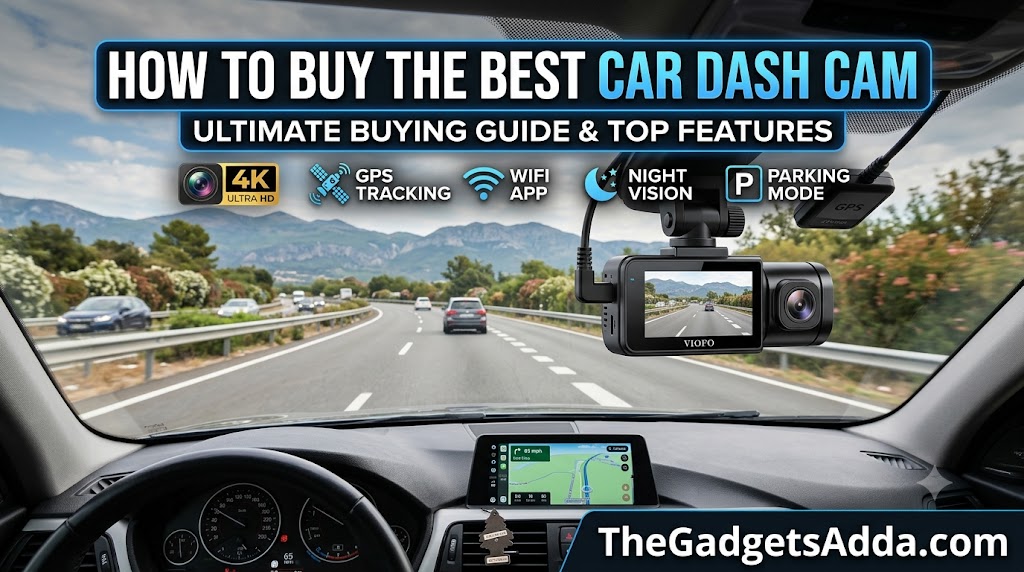
Dash cam sales have grown steadily as more drivers learn that insurers and courts treat clear footage as decisive evidence. A collision can happen in seconds. Whether you walk away with a settled claim or a legal dispute often depends on what your car was recording at the time.
But not every dash cam captures footage worth submitting. Performance varies widely even within the same price range. Resolution numbers on the box don’t tell you what you’ll actually see at night. Parking mode promises protection but can leave you with a dead battery if set up wrong. And audio recording-something most buyers never think about-can create legal trouble in certain states.
This guide cuts through the marketing. You’ll learn what actually matters, what doesn’t, and how to choose a dash cam that delivers when you need it most.
What Is a Dash Cam and Why Does It Matter?
A dash cam-short for dashboard camera-is a small video camera mounted inside your vehicle that continuously records the road ahead (and sometimes behind and inside) while you drive. Footage is stored on a microSD card, with newer models also offering cloud backup via WiFi or cellular connectivity.
Prices range from around $30 to over $400. At the entry level, you get basic recording. At the premium end, you get 4K resolution, radar-based parking mode, cloud connectivity, and driver-assistance features like forward collision warnings and lane departure alerts.
Why Every Driver Should Consider One
Insurance protection. This is the primary reason most people buy a dash cam. When an accident occurs, video evidence can speed up claims processing and prevent your insurance premiums from rising due to disputed fault.
Vandalism and hit-and-run coverage. Parking mode captures incidents while your car is unattended-break-ins, keying, bumper taps in parking lots. Without it, you’re left with damage and no way to identify who caused it.
Peace of mind. Once you’ve had a dash cam, driving without one feels exposed. You stop worrying about whether you’ll be able to prove what happened.
Evidence for disputes. Video footage can be used to contest traffic tickets and parking fines. It’s also valuable for rideshare drivers who need to protect themselves against false passenger claims.
How Dash Cams Work-The Basics
Every dash cam follows the same fundamental process:
- Record. The camera writes video to a microSD card in a continuous loop. When the card fills up, the oldest footage is overwritten.
- Detect. An accelerometer (G-sensor) detects sudden deceleration or impact and “locks” the footage so it isn’t overwritten.
- Save. Locked clips are stored in a protected folder on the SD card.
- View. You can watch footage on the camera’s display (if it has one), via a smartphone app, or by removing the SD card and reading it on a computer.
The loop recording means you don’t need to manually delete files or manage storage. The camera handles it automatically. Your job is simply to ensure the SD card is large enough and the camera is powered.
Benefits of Owning a Dash Cam
Evidence That Speaks for Itself
Insurance claims are disputes. Dash cam footage transforms a “he said, she said” argument into visual fact. Consumer Reports notes that insurers and courts treat clear footage as decisive evidence. In a rear-end collision, for example, footage showing the other driver failing to brake is difficult to refute.
Protection Against Insurance Fraud
“Crash for cash” scams-where fraudsters brake suddenly to cause a rear-end collision and then claim injury-are a real problem in many areas. A dash cam exposes these schemes immediately.
Monitoring Teen Drivers
Parents can review footage to check driving habits. Some dash cams also offer driver-assistance features like speed limit warnings and harsh braking alerts, which can help new drivers build safer habits.
Capturing the Unexpected
Dash cams have recorded everything from meteor strikes to road rage incidents. While this isn’t the primary reason to buy one, it’s a side benefit that many owners appreciate.
Limitations-What Dash Cams Can’t Do
A dash cam is not a magic bullet. Understanding its limits helps you set realistic expectations.
No 360° coverage by default. A front-only camera records what’s ahead-not what’s beside or behind you. Even with a rear camera, blind spots remain. Three-channel systems add an interior camera, but coverage still isn’t complete.
License plates aren’t always readable. At night, at highway speeds, or in poor weather, even a 4K camera may not capture a clear plate. The combination of motion, low light, and distance makes this a hard problem for any camera.
Parking mode drains your battery. Without proper voltage cutoff settings, a dash cam running in parking mode can leave you with a dead battery.
Audio recording creates legal risk. In states with all-party consent laws, recording cabin audio without permission can violate wiretapping statutes. More on this later.
They don’t prevent accidents. A dash cam records what happens. It doesn’t stop a collision or deter a determined vandal.
Types of Dash Cams
Front-Only (Single-Channel)
The simplest and most affordable option. One camera mounted on the windshield records everything ahead of the vehicle.
Best for: Budget-conscious buyers, drivers who park in secure garages, and anyone who primarily wants accident evidence.
Typical price: $50-$150
Front and Rear (Dual-Channel)
A front camera paired with a rear-facing camera mounted on the back window. Both record simultaneously. This is the most popular configuration among serious buyers.
Best for: Most drivers. Rear coverage captures tailgaters, rear-end collisions, and hit-and-runs from behind.
Typical price: $100-$300
Front, Rear, and Interior (Three-Channel)
Adds a third camera that records the cabin. Essential for rideshare drivers (Uber, Lyft) who need to document passenger behavior and protect against false claims.
Best for: Rideshare drivers, taxi operators, fleet vehicles, and parents monitoring teen drivers.
Typical price: $150-$400
Mirror Dash Cams
These replace your existing rearview mirror with a unit that functions as both a mirror and a display. The screen shows a live rear camera feed, and when turned off, it works as a normal mirror.
Best for: Drivers who want a clean installation without a separate screen on the windshield. The mirror-style mounting also helps comply with windshield obstruction laws in some states.
Typical price: $150-$350
Key trade-off: Installation takes longer (45-90 minutes to route cables), but the result is a hidden, factory-like appearance.
Cloud-Connected Dash Cams
These models have built-in cellular connectivity (or use your phone’s hotspot) to upload footage to the cloud. You can view live video remotely, receive parking alerts, and access footage even if the camera is stolen.
Best for: Drivers who park in high-risk areas, fleet operators, and anyone who wants remote access.
Typical price: $250-$500+
Key Features to Evaluate
Image Sensor-The Most Important Spec You’re Probably Ignoring
The image sensor converts light into digital data. It matters more than resolution. A better sensor at the same resolution produces better footage than a worse sensor.
Sony STARVIS 2 is the current gold standard. It’s a second-generation back-illuminated sensor designed specifically for low-light recording. Sony rates STARVIS 2 sensors at 2000 mV or higher sensitivity-compared to roughly 700 mV for standard sensors. In plain English: the sensor can produce usable footage at light levels that would appear near-black on older sensors.
The specific STARVIS 2 sensor you’ll see in premium dash cams is the IMX678, a 12MP sensor with 2.9μm pixels. Larger pixels capture more light. A 2.9μm pixel captures approximately four times more light than a 1.4μm pixel-not twice, but four times, because area scales with the square of the diameter.
What to look for: Explicit mention of “Sony STARVIS 2” in the product description. Be cautious of vague claims like “night vision sensor” or “AI enhanced night mode” without a named sensor-these are often standard sensors with digital noise reduction.
Resolution-4K, 2K, or 1080p?
Dash cams typically come in three resolutions: 4K (3840 x 2160), 2K/QHD (2560 x 1440), and 1080p/Full HD (1920 x 1080).
4K shows the most detail-street signs, license plates, and road markings are clearer. A 4K dash cam generally shows the most detail. The practical question is: at what resolution can you reliably read a license plate under real driving conditions?
- 1080p: A plate 2–3 car lengths ahead in good daylight is usually readable. At night, highway speeds, or greater distance, it often isn’t.
- 4K: The margin for legible plates extends significantly in both distance and lighting conditions.
Important caveat: A cheap 4K camera with a poor sensor will produce worse footage than a good 2K camera with a Sony STARVIS 2 sensor. Sensor quality matters more than resolution number.
Frame rate: 30 fps is standard and sufficient for most driving. 60 fps produces smoother video but requires choosing a lower resolution on many models-4K dash cams often max out at 1440p or 1080p when you select 60 fps.
Field of View (FOV)
Field of view tells you how broad an area the camera can see, measured in degrees. A wider FOV captures more of the road and edges of your car.
- 140°-160°: Standard range. Good coverage.
- 170°-180°: Very wide. The Garmin Dash Cam Live offers a 180° FOV. Mirror dash cams like the Wolfbox G900 Pro offer 170° front and 150° rear.
Trade-off: Wider FOV can create a “fisheye” distortion at the edges and make distant objects appear smaller. A 140°-160° FOV is usually the sweet spot for most drivers.
Night Vision and Low-Light Performance
This is where the sensor-not the resolution-determines quality. Sony STARVIS 2 sensors dramatically outperform standard sensors in low light.
What to test: Look at sample night footage from the camera you’re considering. Genuine STARVIS 2 footage has a characteristic warmth and detail in shadows that’s hard to fake. Pay attention to:
- License plate readability at night
- Pedestrian visibility in dimly lit areas
- Performance in tunnels and under bridges
Parking Mode-The Feature Most People Set Up Wrong
Parking mode keeps your dash cam recording after you turn the ignition off. It catches hit-and-runs, vandalism, and break-in attempts. It’s also the feature most frequently set up incorrectly.
How it’s powered:
- Hardwire kit (recommended): Connects the camera to your car’s fuse box. This is the standard and most reliable method.
- Battery pack: A dedicated lithium battery mounted in the car. More expensive but completely avoids draining your vehicle battery.
- Cigarette lighter: Does not support parking mode-the socket turns off when the ignition turns off in almost all vehicles.
The voltage cutoff-the single most important setting: Every hardwire kit has a voltage cutoff setting that tells the camera to shut down if the car battery drops below a specified level. Set it wrong and you either wake up to a dead battery or your camera shuts off before it needs to.
- Standard 12V lead-acid battery: 11.8V
- AGM battery (common in newer vehicles): 12.0V
- EV lithium 12V auxiliary: 12.2V
- Start-stop vehicles (EFB or AGM): 12.0-12.2V
- Motion detection: Activates when movement is detected. Prone to false triggers from trees, shadows, and passing headlights.
- Impact (G-sensor): Activates only on physical impact. Won’t trigger on a slow scrape.
- Buffered (best): Records continuously at low frame rate and saves a clip that includes 15–30 seconds before the trigger event. You see the approach, not just the aftermath.
Power draw: A typical dash cam in parking mode draws 50-200mA. At 100mA draw, a healthy 40–70Ah battery supports 20-30 hours of parking mode before hitting the low-voltage cutoff.
GPS and Speed Tracking
Built-in GPS stamps your footage with location coordinates and speed. This can be valuable for insurance claims-it shows exactly where and how fast you were driving.
Some models also offer:
Consideration: In some jurisdictions, speed data can be used against you. If you’re concerned, look for a camera that lets you disable speed stamping in the settings.
Connectivity-WiFi, Bluetooth, and Cloud
WiFi: Allows you to connect your smartphone to the camera to view and download footage without removing the SD card. Look for 5.8GHz WiFi-it’s faster and more reliable than 2.4GHz.
Cloud: Some cameras upload footage automatically to the cloud via cellular or WiFi. This ensures your footage survives even if the camera is stolen or destroyed.
App quality matters: The camera’s smartphone app can make or break the user experience. Check recent reviews to see if the app is stable, intuitive, and regularly updated.
Storage and SD Cards
Dash cams use microSD cards. Most don’t include one-you need to buy it separately.
Capacity: Use the highest-capacity card the camera accepts. 4K footage creates large files. 128GB is a good starting point; many premium cameras support 256GB or 512GB.
Speed class: Look for U3 or V30 rated cards. These have the write speed needed for 4K video. Cheap, slow cards will cause recording errors.
Endurance cards: Standard SD cards aren’t designed for continuous overwriting. Buy a high-endurance card designed for dash cams-they’re built to handle the constant read/write cycles.
Display
Some dash cams have built-in screens (typically 2-3 inches), while others rely entirely on a smartphone app for viewing and settings.
- With screen: Easier to adjust settings on the device, check alignment, and review footage immediately.
- Without screen: Smaller, more discreet, less distracting while driving. Requires a phone app for setup.
Supercapacitor vs. Battery
This is one of the most important reliability decisions you’ll make.
Lithium-ion battery:
- Stores more energy-better for extended parking mode
- Lower upfront cost
- Degrades in heat. Car interiors can exceed 140°F in summer. Lithium batteries lose capacity, can swell, and in extreme cases, pose a fire risk
Supercapacitor:
- Stores energy electrostatically, not chemically
- Handles extreme temperatures much better
- Lasts longer-often outliving the dash cam itself
- Holds very little charge-only enough to save the final seconds of footage after power is cut. Relies on a hardwire kit for parking mode
Recommendation: If you live in a hot climate, park outside, or want a dash cam that lasts for years with fewer problems, choose a supercapacitor model.
Driver Assistance Features (ADAS)
Some dash cams offer Advanced Driver Assistance Systems:
These can be valuable for drivers of older vehicles that lack built-in safety features. However, they’re not a substitute for attentive driving, and false alerts can be annoying.
Common Mistakes When Buying a Dash Cam
Mistake 1: Buying Based on Resolution Alone
A cheap 4K camera with a poor sensor produces worse footage than a good 2K camera with a Sony sensor. Resolution matters, but sensor quality matters more.
Mistake 2: Ignoring the Sensor Spec
“4K” is easy to market. “Sony STARVIS 2 IMX678” is specific and meaningful. If a listing doesn’t name the sensor, assume it’s a budget sensor.
Mistake 3: Skipping the Hardwire Kit
Plugging into the cigarette lighter powers the camera while driving but disables parking mode. If you want parking protection, you need a hardwire kit.
Mistake 4: Using a Cheap or Wrong SD Card
A slow or low-quality card will cause recording errors, corrupted files, or missed footage. Use a high-endurance U3/V30 card from a reputable brand.
Mistake 5: Not Setting the Voltage Cutoff
The default voltage cutoff on many hardwire kits is too low for some batteries. Set it correctly for your vehicle type or risk a dead battery.
Mistake 6: Mounting It Incorrectly
Placement matters. Mount the camera behind the rearview mirror so it doesn’t obstruct your view and isn’t visible from outside. Check your state’s windshield obstruction laws.
Mistake 7: Forgetting About Audio Recording
Many dash cams record audio by default. In all-party consent states (California, Florida, Illinois, and others), recording cabin audio without permission may be illegal. If you carry passengers, consider turning audio off.
Step-by-Step Guide to Choosing Your Dash Cam
Step 1: Define Your Needs
Ask yourself:
- Do I want front-only or front+rear? (Most drivers should choose dual-channel.)
- Do I drive rideshare? (If yes, you need a three-channel system with interior recording.)
- Do I park on the street or in a garage? (Street parking = parking mode is essential.)
- Do I live in a hot climate? (Prioritize supercapacitor models.)
- Do I want remote access and cloud storage? (Look for cloud-connected models.)
Step 2: Set Your Budget
| Budget Range | What You Get |
|---|---|
| $50-$100 | Basic 1080p or 2K, front-only, limited features, often battery-powered |
| $100-$200 | Good 2K or entry 4K, dual-channel options, Sony STARVIS (not always 2), supercapacitor available |
| $200-$350 | 4K with Sony STARVIS 2, dual-channel, GPS, WiFi, parking mode with hardwire kit |
| $350+ | Premium 4K, cloud connectivity, radar parking mode, advanced ADAS, premium build quality |
Step 3: Prioritize Features
Must-haves for most drivers:
- Sony STARVIS 2 sensor (IMX678 ideally)
- 4K or high-quality 2K resolution
- Supercapacitor (not lithium battery)
- Dual-channel (front + rear)
- Parking mode support with hardwire kit
- GPS stamping
- WiFi connectivity for easy footage access
Nice-to-haves:
- Cloud connectivity
- 5.8GHz WiFi
- ADAS features (if your car lacks them)
- Touchscreen display
- Voice control
Step 4: Check Sample Footage
Before buying, search for sample footage from the camera you’re considering. Look for:
- Daytime license plate readability
- Nighttime performance in urban and rural settings
- Tunnel entrance/exit (dynamic range test)
- Rainy conditions
Step 5: Verify Legal Compliance
- Mounting: Check your state’s windshield obstruction rules.
- Audio: Understand your state’s consent laws. In all-party consent states, turn audio recording off unless you have clear permission from passengers.
- Privacy: Post a visible notice if you record audio with passengers (especially in rideshare).
Step 6: Factor in Total Cost
The camera price isn’t the only cost:
- SD card: $15-$50 for a high-endurance 128GB-256GB card
- Hardwire kit: $15-$50 (often sold separately)
- Installation: $0 (DIY) to $100+ (professional installation)
- GPS module: Sometimes built-in, sometimes an add-on
Consumer Reports notes that the Redtiger F7NP Basic ($150) includes a hardwiring kit, while the Rove R2-4K Pro ($120) requires a $50 kit for parking mode. These add-ons change the real cost.
Best Practices for Installation and Use
Installation Tips
Positioning: Mount the camera behind the rearview mirror, centered on the windshield. The lens should be just below the mirror, not obstructing your view.
Cable routing: For a clean install, tuck cables along the headliner, down the A-pillar, and behind the dashboard. Avoid running cables over airbags.
Suction cup vs. adhesive: Suction cups are easier to reposition; adhesive mounts are more secure and less likely to fall off in heat. Most premium cameras use adhesive mounts.
Professional installation: If you’re uncomfortable with electrical work, pay a professional to install the hardwire kit. It costs $50-$150 and ensures the voltage cutoff is set correctly.
Settings to Configure Immediately
- Set voltage cutoff correctly for your battery type.
- Enable loop recording (usually on by default).
- Set G-sensor sensitivity to medium-too sensitive and every bump locks a file; too low and impacts may not trigger.
- Configure parking mode type-buffered if available.
- Format the SD card in the camera before first use.
- Check audio setting-turn off if you’re uncertain about consent laws.
Ongoing Maintenance
- Format the SD card every 2-4 weeks to prevent file system errors.
- Check footage periodically to ensure the camera is recording correctly.
- Replace the SD card every 1-2 years-continuous overwriting wears cards out.
- Clean the lens with a microfiber cloth.
Expert Tips for Getting the Most from Your Dash Cam
Tip 1: Don’t rely on the camera’s audio as evidence unless you understand your state’s consent laws. In all-party consent states, audio recorded without permission may be inadmissible-or worse, expose you to liability.
Tip 2: Test your parking mode immediately after installation. Park somewhere safe, wait a few minutes, then review the footage. Confirm the voltage cutoff works and the camera doesn’t drain your battery overnight.
Tip 3: Buy a high-endurance SD card from a reputable brand. Sandisk High Endurance, Samsung Pro Endurance, and Transcend High Endurance are reliable choices. Avoid no-name cards.
Tip 4: If you drive in extreme heat, choose a supercapacitor model and consider a dash cam with a heat-dissipating design. Some premium models use aluminum housings to manage temperature.
Tip 5: Keep a spare SD card in your glovebox. If you’re in an accident, swap the card immediately to preserve the footage.
Tip 6: Position the rear camera carefully. On sedans, mount it inside the rear window near the top. On SUVs and hatchbacks, mount it on the rear glass-just be aware that rear wiper movement can affect visibility.
Tip 7: For rideshare drivers, place a visible notice in the cabin stating that video and audio are being recorded. This helps with consent and may deter bad behavior from passengers.
Dash Cam Legal Considerations in the United States
Dash cams are generally legal to use in all 50 states. However, two areas create most compliance problems: mounting location and audio recording.
Windshield Mounting Rules
State laws vary on where you can mount objects on your windshield. California, Minnesota, and Pennsylvania are useful examples of how different the wording can be.
- California: Vehicle Code Section 26708 allows limited windshield placement zones.
- Minnesota: Avoid placing objects where they obstruct the driver’s view.
- Pennsylvania: State guidance points to 75 Pa. CS 4524 for windshield obstruction rules.
Practical test: Sit in the normal driving position and check whether the camera, cable, or screen blocks the road, traffic signals, pedestrians, or mirrors. If it does, the installation isn’t good enough.
Mirror dash cams can reduce mounting issues because they attach over the rearview mirror instead of adding a new device to the windshield.
Audio Recording Laws
Federal wiretap law allows recording when at least one party consents. But some states require all parties to consent to a private conversation.
One-party consent states (most of the US): You can record audio in your vehicle without notifying passengers.
All-party consent states (11 states including California, Florida, Illinois, Maryland, Massachusetts, Michigan, Montana, Nevada, New Hampshire, Pennsylvania, and Washington): Recording a private conversation without all parties’ consent is illegal.
For rideshare: Platform permission isn’t the same as state-law compliance. Disabling audio is usually the cleanest setup when consent is uncertain.
Frequently Asked Questions About
What is the best dash cam resolution?
Do I need a rear camera?
A rear camera captures tailgaters, rear-end collisions, and hit-and-runs from behind. It also provides context in multi-vehicle accidents. Most drivers who can afford the extra cost should choose a dual-channel system.
How long does a dash cam record?
With loop recording, a dash cam records continuously as long as it has power. The SD card fills up and older footage is overwritten. A 128GB card stores roughly 8–12 hours of 4K footage depending on bitrate.
Will a dash cam drain my car battery?
A properly configured dash cam with a voltage cutoff won’t drain your battery to the point where the car won’t start. A dash cam in parking mode draws 50-200mA-a healthy 40-70Ah battery supports 20-30 hours before hitting the cutoff.
Are dash cams legal in all US states?
Yes, dash cams are generally legal in all 50 states. However, mounting restrictions and audio-consent rules vary by state.
Can I record audio with my dash cam?
What is Sony STARVIS 2?
What’s better: a battery or supercapacitor dash cam?
How much should I spend on a dash cam?
$100–$200 gets you a solid dual-channel camera with good video quality. $200-$350 gets you 4K with Sony STARVIS 2, GPS, and parking mode. $350+ adds cloud connectivity and premium features.
How do I install a dash cam?
Does a dash cam reduce insurance premiums?
Some insurers offer discounts for dash cam use, but it varies by provider and state. More importantly, footage can prevent your premiums from rising after a not-at-fault accident by proving you weren’t responsible.
What SD card should I buy for a dash cam?
Can a dash cam be used as a security camera?
With parking mode, a dash cam acts as a security camera while your car is parked. It records motion or impact events and can send alerts to your phone on cloud-connected models.
How do I know if my dash cam is recording?
Most dash cams have an LED indicator showing recording status. Some models also have voice alerts. Check the indicator after starting your car to confirm the camera is active.
Final Verdict
Buying a dash cam isn’t complicated, but it requires paying attention to the right details.
The single most important decision is the image sensor. A camera with a Sony STARVIS 2 sensor—especially the IMX678—will produce footage that’s actually usable when you need it most. Resolution matters, but sensor quality determines whether that resolution delivers real detail or just a bigger file.
The second most important decision is the power source. If you want parking mode—and you should—you need a hardwire kit with a properly set voltage cutoff. A supercapacitor-based camera is almost always the better choice for long-term reliability, especially if you live somewhere with real summers.
The third decision is configuration. Dual-channel (front and rear) is the sweet spot for most drivers. Three-channel adds interior coverage if you need it. Mirror dash cams offer the cleanest installation if you’re willing to spend the extra time setting them up.
What you should actually buy:
- Budget ($100–150): Look for a camera with a Sony sensor (STARVIS, ideally STARVIS 2), 2K or 4K resolution, and a supercapacitor. Expect to buy the hardwire kit and SD card separately.
- Mid-range ($150–250): You can get a dual-channel system with Sony STARVIS 2, 4K front recording, GPS, and a hardwire kit included or available for a small add-on cost.
- Premium ($250+): Cloud connectivity, radar parking mode, 5.8GHz WiFi, and premium build quality. If you park on the street or drive rideshare, this is worth the investment.
Don’t buy a cheap 4K camera with a no-name sensor. Don’t skip the hardwire kit and rely on the cigarette lighter. Don’t leave the voltage cutoff at the default without checking it against your battery type. And don’t forget about audio recording laws—turn it off unless you’re certain you’re compliant.
A dash cam is a tool that sits quietly in your car for years, doing nothing until the moment you need it. When that moment comes, you want footage that’s clear enough to read a plate, timestamped with GPS coordinates, and stored safely. Choose carefully, install correctly, and you’ll have a silent witness that protects you every time you drive.
Hi, this is a comment.
To get started with moderating, editing, and deleting comments, please visit the Comments screen in the dashboard.
Commenter avatars come from Gravatar.