
The gut-wrenching panic of a dog slipping its collar or bolting out an open gate is an experience no pet parent ever forgets. In those frantic moments, seconds feel like hours. While traditional ID tags and microchips are critical safety nets, they are entirely passive; they rely on someone finding your dog, reading the tag, or driving them to a shelter to scan for a chip.
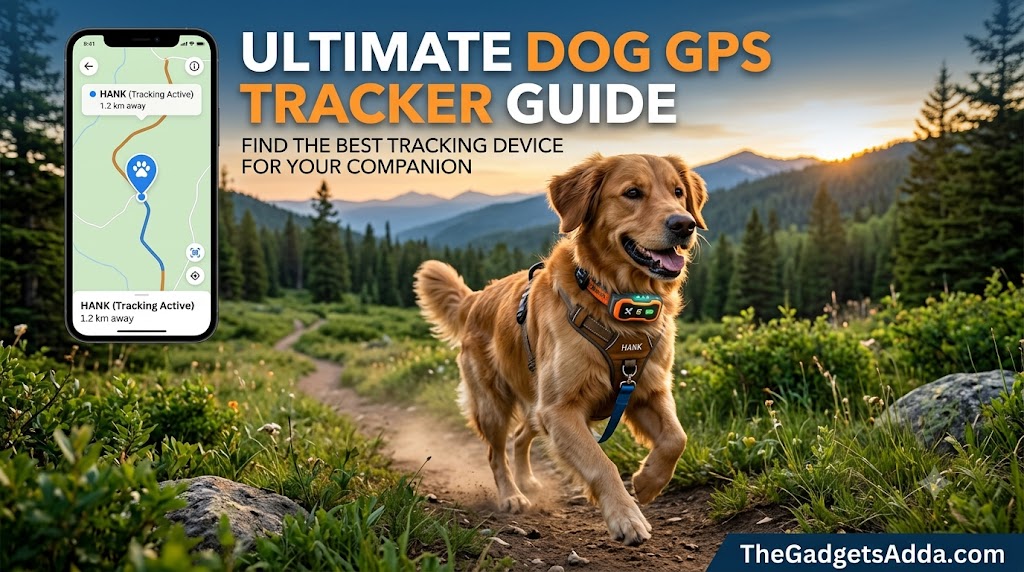
By contrast, active location tracking gives you immediate, real-world data exactly when you need it most. This guide explores the engineering, practical performance, and field realities of pet location systems so you can make an informed choice for your household.
What Is a Dog GPS Tracker?
A dog GPS tracker is a wearable electronic device-usually mounted to a collar or harness-that calculates your pet’s precise geographical coordinates and transmits that data directly to your smartphone, tablet, or web browser.
Unlike a microchip (which is a passive Radio-Frequency Identification, or RFID, tag about the size of a grain of rice embedded under the skin), a GPS tracker is an active, battery-powered computing unit. It does not just verify your dog’s identity when scanned; it actively broadcasts their movement in real time across vast distances.
Why Real-Time Location Tracking Matters
According to historical data from the American Humane Association, roughly one in three pets will go missing at some point in their lifetimes. Furthermore, the National Council on Pet Population Study and Policy notes that fewer than 20% of lost dogs are successfully reunited with their owners without active recovery assistance.
Investing in an active tracking system shifts you from a passive posture of waiting and hoping to an active posture of immediate deployment. Whether you own a high-prey-drive hunting breed prone to chasing wildlife, an anxious rescue easily startled by thunderstorms, or a canine escape artist who clears fences, real-time tracking provides a definitive digital tether.
How Pet GPS Trackers Work
Modern pet tracking units rely on a multi-tiered communication architecture. To provide reliable data, a tracker must execute two independent processes: location acquisition and data transmission.
1. Location Acquisition (The GNSS Component)
The tracker contains a miniature antenna tuned to global navigation satellite systems (GNSS), such as the United States’ GPS, Europe’s Galileo, or Russia’s GLONASS. By locking onto signals from at least four satellites simultaneously, the collar calculates its own latitude, longitude, and altitude using a mathematical process called trilateration.
2. Data Transmission (The Communication Component)
Knowing the location does no good if the data stays on the collar. The device must send those coordinates to your phone. This is achieved using one of three primary transmission methods:
- Cellular Networks: The tracker uses an integrated eSIM to connect to local cellular towers (typically utilizing low-power LTE-M or NB-IoT bands optimized for small IoT devices). It uploads the coordinates to a cloud server, which your smartphone app accesses over the internet.
- VHF Radio Waves: Used primarily in specialized sporting and hunting collars, the device broadcasts a high-frequency radio signal directly to a proprietary handheld receiver held by the owner. This setup requires no cellular coverage whatsoever.
- Localized Networks (Bluetooth/UWB): Devices like Apple AirTags or Samsung SmartTags do not contain true GPS modules. Instead, they ping nearby smartphones via Bluetooth or Ultra-Wideband (UWB), leveraging an aggregated network of consumer devices to relay their approximate position.
Benefits and Limitations of Pet Trackers
Understanding what these devices can and cannot do prevents a false sense of security and helps you plan for real-world scenarios.
Core Benefits
- Instant Escape Alerts: Most platforms utilize geofencing to send push notifications the moment your dog crosses a predefined boundary.
- Historical Route Mapping: You can audit exactly where your dog ran, which is invaluable if they frequently escape to specific properties or neighborhoods.
- Health and Activity Telemetry: Many modern trackers pull double duty as canine fitness monitors, logging resting heart rates, sleep disruptions, scratching behaviors, and daily step counts.
- Peace of Mind: The psychological relief of knowing you can open an app and see your pet’s precise location cannot be overstated.
Real-World Limitations
- Battery Dependencies: If a device is left in high-frequency “Live Tracking” mode, a low battery can deplete completely within hours, leaving you blind mid-search.
- Line-of-Sight Blockage: GNSS signals are weak microwave transmissions. Heavy tree canopies, dense urban high-rises, metal roofing, and indoor environments can degrade accuracy or prevent location locks entirely.
- Cellular Dead Zones: If you buy a cellular-based tracker and your dog gets lost in a remote ravine with zero cell service, the tracker cannot upload its coordinates to the cloud app, even if it knows its own location via satellites.
The Three Primary Types of Trackers Compared
Choosing the right technology depends heavily on your geographic location, your budget, and your dog’s specific behavioral patterns.
| Feature / Type | Cellular GPS Trackers | VHF Radio Trackers | Bluetooth Tag Alternatives |
| Primary Audience | Suburban & Urban Pet Owners | Hunters, Hikers, Rural Landowners | Urban Owners, Low-Risk Dogs |
| Range | Unlimited (anywhere with cell service) | Line-of-sight (typically 1 to 9 miles) | Short-range (~30–400 feet native) |
| Subscription Cost | Required ($5-$15/month) | None | None |
| Hardware Weight | Light to Medium (25-45g) | Heavy (often integrated into thick collars) | Ultralight (8–10g) |
| Update Frequency | 2 seconds (Live) to 15 minutes (Eco) | Continuous (every 2.5 to 5 seconds) | Dependent on nearby network pings |
| Offline Functionality | Poor (requires cell towers) | Excellent (totally self-contained) | Poor (requires community phones) |
Non-Negotiable Technical Features to Evaluate
When shopping for a device, look beyond marketing aesthetic and prioritize these critical engineering benchmarks:
Dynamic Refresh Rates
A quality tracker must support dual-mode operational profiles. In standard mode, it should update every 10 to 30 minutes to conserve battery power. However, it must feature a user-triggered “Live Mode” that increases the refresh rate to every 2 to 5 seconds when a pet goes missing.
Ingress Protection (IP) Ratings
Dogs do not avoid mud puddles or rainstorms when they escape. Look for a minimum rating of IP67 (dust-tight and capable of surviving immersion in 1 meter of water for 30 minutes). For dogs that love swimming, look for an IP68 rating.
Battery Architecture
Prioritize lithium-ion or lithium-polymer configurations that clearly delineate battery life based on update frequencies. A unit that boasts “up to 30 days of battery life” often achieves this only when connected to a home Wi-Fi base station. Ensure the device can sustain at least 12 to 24 hours of continuous live tracking on a single charge.
Attachment Mechanics
The most advanced tracking module is useless if it snaps off when your dog bursts through a thick briar patch. Avoid plastic clips or flimsy rubber bands. Opt for rubberized, reinforced sleeves that secure the device flush against a 1-inch nylon or biothane collar strap, or select an all-in-one smart collar structure.
Common Tracking Mistakes Pet Owners Make
Even the most premium equipment fails if it is deployed incorrectly. Avoid these frequent operational pitfalls:
The Microchip Misconception: Believing a microchip tracks a dog via GPS. If your dog is lost, a microchip does absolutely nothing until someone catches the animal and scans it at a clinic.
- Neglecting the “Safe Zone” Setup: Failing to properly configure home Wi-Fi zones. If your tracker tries to pull a GPS coordinate while your dog is inside your house, it will waste battery power searching for satellites through your roof. Connecting the tracker to your home Wi-Fi signals to the software that the pet is safe, putting the GPS radio to sleep and saving battery.
- Forgetting to Test Cellular Coverage: Buying a device that operates exclusively on an LTE network from a carrier that has poor coverage in your specific neighborhood or regional hiking trails.
- Irregular Charging Habits: Treating the tracker like an emergency tool that stays in a drawer until it is needed. Batteries degrade when left flat, and uncharged devices are useless when a spontaneous escape occurs.
Step-by-Step Guide: Setting Up and Calibrating a Tracker
Follow this onboarding workflow to guarantee maximum accuracy and battery efficiency before your dog ever steps outside.
1.Charge and Initialize the Hardware:Estimated time: 2 hours.
Plug the tracker into its proprietary charger and let it reach 100% capacity. Download the companion app onto your smartphone and create an account while the device charges.
2.Activate the Internal eSIM and Subscription:Estimated time: 10 minutes.
Select your monitoring plan within the app. This links the device’s internal serial number to the cellular networks. Perform this step near a window or outdoors to allow the cellular modem to register its initial handshake with local network towers.
3.Establish Your Digital Geofences:Estimated time: 15 minutes.
Map out your home “Safe Zone” by pairing the device with your residential Wi-Fi network network SSID. Next, draw a secondary geographic boundary around your yard or property line. Make this boundary at least 100 feet wider than your actual yard to account for natural GPS drift and avoid annoying false alerts.
4.Perform the Outdoor Calibration Walk:Estimated time: 20 minutes.
Take the collar outside away from physical structures. Turn on the “Live Tracking” mode and walk around the block without your dog first. Verify that the app’s location pin tracks your movement accurately along the map grid and that notifications trigger properly when you cross your virtual geofence.
5.Fit the Device Securely to Your Dog:Estimated time: 5 minutes.
Mount the tracker onto your dog’s primary collar. Ensure the device sits on the top or side of the neck to give the internal GNSS antenna a clear view of the sky. The fit should allow two fingers to slip comfortably under the collar strap so it is secure but not constricting.
Operational Best Practices for Daily Use
Maintaining your tracking ecosystem requires establishing simple, consistent routines:
- Establish a Dedicated Charging Station: Place the collar charger right next to your household key bowl or phone charging pad. When your dog is crated or sleeping securely for the night, get into the habit of docking the tracker so it is fully powered every morning.
- Audit Cellular Coverage Frequently: If you travel with your dog to state parks or vacation rentals, open the app upon arrival to confirm the collar can establish a reliable network connection and update its location successfully.
- Keep Firmware Updated: Manufacturers regularly push over-the-air (OTA) updates to optimize power management, fix software bugs, and improve satellite acquisition speeds. Allow these updates to run whenever prompted by the app.
Expert Insights for Challenging Terrains
Terrain and physical environments alter radio frequency performance in predictable ways. Use these advanced tactics to maximize performance:
Dense Woodlands and Canopies
Multi-path interference occurs when satellite signals bounce off wet leaves, trees, and rock faces before hitting the collar antenna. This can cause your app to show your dog dancing all over the map, even if they are standing completely still. If you spend significant time in deep forests, choose a tracker that supports multiple satellite constellations simultaneously (e.g., GPS + GLONASS) to provide more anchor data points.
Urban Canyons
Skyscrapers can block satellite visibility entirely. Fortunately, many cellular trackers can triangulate your location using nearby cell towers and public Wi-Fi networks, even when the sky is completely blocked. Make sure your app’s “Wi-Fi Location Positioning” feature is turned on if you live in a dense city environment.
Real-World Tracking Scenarios
To illustrate how these tracking principles play out in practice, consider these two common scenarios:
Scenario A: The Suburban Escape Artist
- The Pet: A young Siberian Husky named Loki living in a suburban neighborhood.
- The Hardware: An LTE-M cellular tracker integrated into his collar.
- The Event: A delivery driver leaves the back gate unlatched. Loki escapes and starts running down the neighborhood sidewalks.
- The Recovery: Two minutes after crossing the yard boundary, a push notification alerts the owner. The owner pulls up the app, engages “Live Tracking,” and sees Loki moving two blocks east. The owner drives directly to that intersection and secures him before he reaches a busy main road.
Scenario B: The Wilderness Backcountry Companion
- The Pet: A German Shorthaired Pointer named Ruger on a mountain hiking trail.
- The Hardware: A professional VHF radio-telemetry collar paired with a handheld mapping unit.
- The Event: Ruger catches the scent of a deer and bolts down a steep, rocky ravine with zero cellular coverage.
- The Recovery: Because cellular service is non-existent, a phone tracker would fail here. However, the handheld VHF unit continues to receive direct line-of-sight radio signals from Ruger’s collar every 2.5 seconds. The owner simply reads the compass direction and distance on the screen, hikes down into the ravine, and locates Ruger safely.
Key Takeaways for Pet Owners
- Microchips Are Not Trackers: Microchips are passive tools for identification; active trackers provide real-time location streaming.
- Match Technology to Environment: Choose cellular tracking for urban and suburban environments with reliable network coverage, and opt for VHF radio trackers for remote backcountry use.
- Mind the Geofence Radius: Always configure a generous buffer zone around your home yard to account for natural satellite signal drift and avoid frustrating false alarms.
- Proactive Battery Management is Critical: Keep devices docked on their chargers when your pet is safe at home so you have maximum battery life available during an emergency.
Frequently Asked Questions
What is the difference between a dog GPS tracker and a microchip?
A microchip is a passive electronic chip embedded under your pet’s skin that stores an identification number. It has no internal battery, cannot transmit a signal, and must be read by an electronic scanner at a shelter or clinic. A GPS tracker is an active, battery-powered wearable device that calculates real-time coordinates and broadcasts them directly to your phone.
Will a dog GPS tracker work anywhere in the world?
It depends entirely on the technology type. VHF radio trackers will work anywhere because they form a direct, self-contained radio link between the collar and your handheld unit. Cellular GPS trackers can calculate their location anywhere under the sky, but they can only transmit that data to your phone if they have access to a supported cellular network.
Can I use an Apple AirTag to track my dog?
You can, but it comes with major risks. AirTags do not contain GPS modules or cellular modems. They rely entirely on the proximity of nearby Apple devices to relay their location. If your dog gets lost in a crowded city park, an AirTag can work well. If your dog escapes into a rural area or woodlot where there are no people with iPhones nearby, the AirTag will provide zero location updates.
How much do the monthly subscription fees typically cost?
For cellular-based dog trackers, subscription fees generally range between $5 and $15 per month. This fee covers the cost of the cellular data plan used by the device’s internal eSIM to upload location information to the cloud. VHF radio trackers do not require subscriptions or cellular networks.
How heavy are these trackers, and can small dogs wear them?
Standard consumer cellular trackers weigh between 25 and 45 grams, making them perfectly comfortable for dogs weighing 8 to 10 pounds and up. For toy breeds or tiny puppies under 8 pounds, the bulk of a standard GPS module can cause neck strain, so specialized lightweight tag alternatives are usually preferred.
How long does the battery last during an active search?
When switched into continuous “Live Tracking” mode (updating every 2 to 5 seconds), most consumer cellular tracker batteries will last between 10 and 24 hours. This emphasizes the importance of starting your search immediately before the battery depletes.
Do these trackers work indoors?
GPS signals struggle to penetrate materials like concrete, brick, and metal roofing. If your dog is deep inside an indoor facility or basement, the tracker may fail to secure a satellite lock. However, many modern trackers solve this by using nearby Wi-Fi network networks to estimate the device’s location indoors.
Are dog GPS trackers completely waterproof?
Most premium models carry an IP67 or IP68 rating, meaning they can easily handle rain, mud, snow, and brief submersions in water while your dog swims. Always verify the manufacturer’s specific IP rating before letting your dog jump into a lake.
Can I track multiple dogs on the same smartphone application?
Yes. Virtually all modern pet tracking applications allow you to pair multiple tracking collars to a single user account, allowing you to monitor your entire pack from one map screen.
Why does my tracker occasionally show false escape alerts?
This is usually caused by “GPS drift.” When your dog is indoors or under a metal awning, satellite signals can bounce off structures and trick the device into thinking it has suddenly shifted position. Connecting the device to your home Wi-Fi network creates a digital anchor that eliminates these indoor false alarms.