
Running out of phone storage is annoying. Losing years of photos would be much worse.
ThePhotoStick Mobile is designed for people who want a physical copy of photos and videos without relying entirely on cloud storage. It connects to a compatible smartphone, works with a companion app, and is intended to make transferring memories to local storage simpler than doing everything manually.

But there is an important catch: you need to buy the right version for your device. The Mobile family is sold in separate iOS and Android versions, and the current iOS version is aimed at Apple devices with a Lightning port. That makes connector compatibility especially important for newer iPhone owners.
This review looks at what ThePhotoStick Mobile actually offers, what the manufacturer documents, what users report, where the product has practical limitations, and what you should check before spending your money.
Quick Verdict
Best for: People who want a simple physical backup of phone photos and videos without a recurring cloud-storage fee.
May not be ideal for: Buyers with newer USB-C iPhones who expect direct compatibility, people with very large libraries who want faster workflows, or users who want a complete automated multi-location backup system.
Key strength: A straightforward phone-to-physical-storage workflow that does not depend on an internet connection for the backup itself.

Key limitation: Compatibility and real-world backup experience can vary, and the device should not be treated as your only backup copy.
Value assessment: The product makes the most sense when convenience and offline physical storage matter more to you than maximum flexibility or the lowest possible cost per gigabyte.
Bottom line: ThePhotoStick Mobile is a legitimate consumer storage product with a clear use case, but buyers should verify the exact connector and operating-system requirements before ordering and should keep another backup copy of important memories.
What Is ThePhotoStick Mobile?
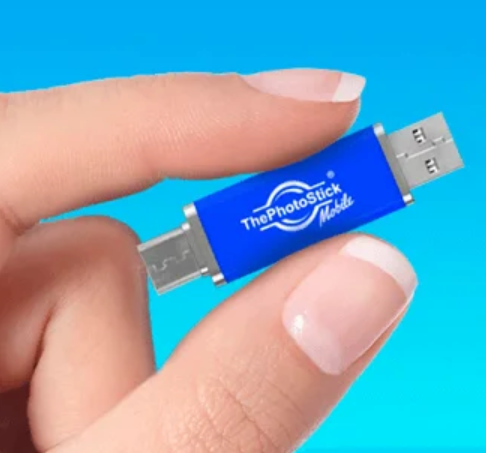
ThePhotoStick Mobile is a USB-based storage device designed specifically for backing up photos, videos and other files from compatible phones and tablets.
The company provides a companion mobile app that guides users through the backup process. Its current support documentation refers Android users to the TPS Mobile app, while the iOS documentation provides instructions for the ThePhotoStick Mobile app on Apple devices.
The important distinction is that ThePhotoStick Mobile is not the same product as ThePhotoStick Omni.
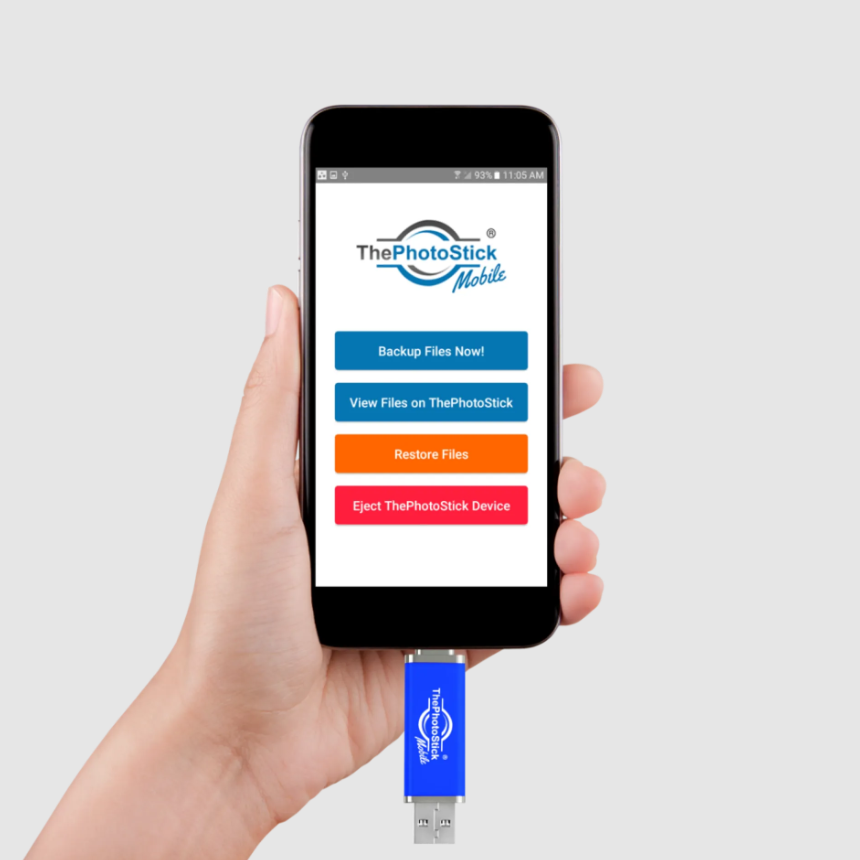
The Mobile lineup is divided into device-specific versions, while the Omni lineup is designed to cover multiple operating systems and device types. The current official store sells separate Mobile products for Android and for iPhone/iPad.
That distinction matters because buying the wrong model can turn an otherwise straightforward purchase into a compatibility problem.
How Does ThePhotoStick Mobile Work?
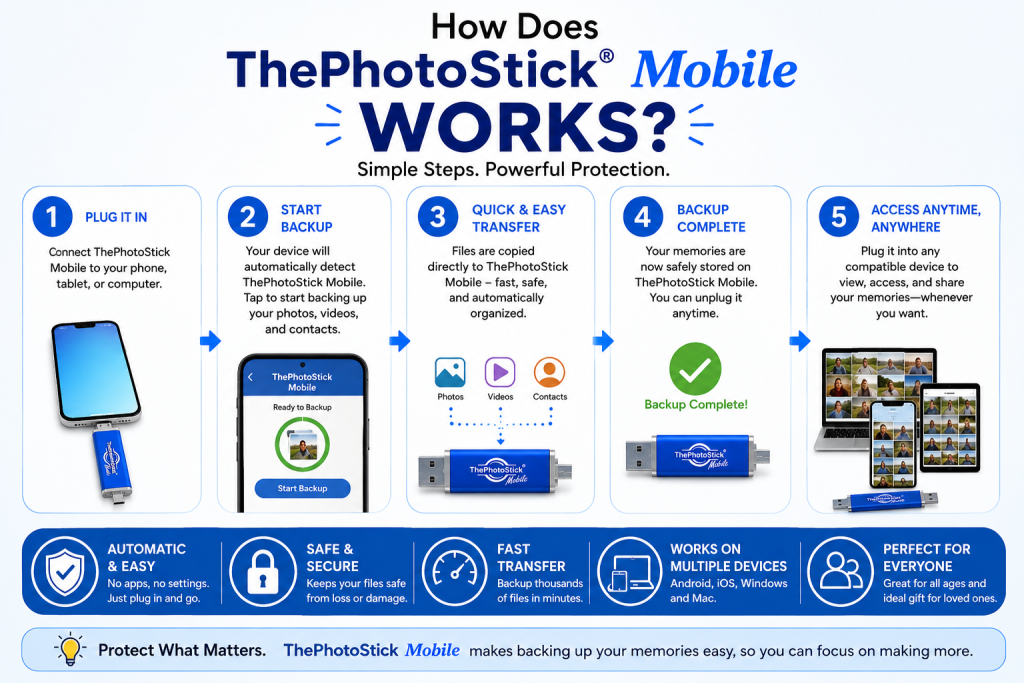
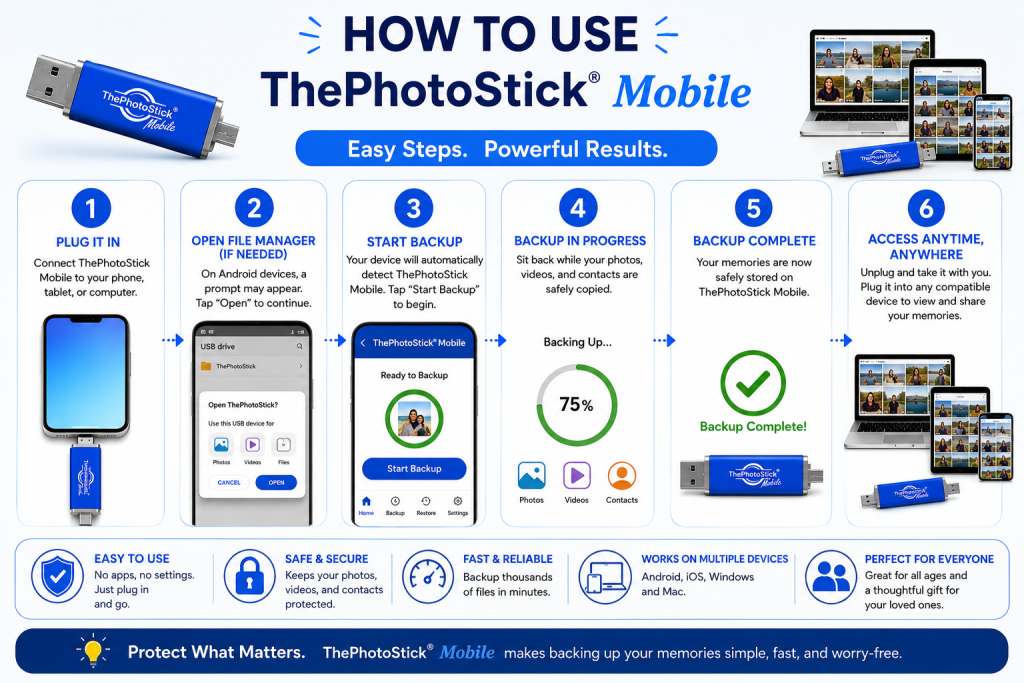
The basic workflow is simple:
- Install the appropriate companion app.
- Connect ThePhotoStick Mobile to your compatible phone.
- Give the app the permissions it needs to access your photos and media.
- Start the backup.
- Allow the process to finish.
- Verify that important files can be opened from the backup.
The official Android guide says users install the TPS Mobile app, grant access to photos and media, connect the device, select the ThePhotoStick storage folder and start the backup. It also notes that backup time varies depending on the number and size of files and the phone being used.
The iOS instructions follow a similar idea: install the app, connect the Mobile device, grant the necessary access and start the backup. The company’s support material also provides troubleshooting for cases in which the device is not detected.
What Does ThePhotoStick Mobile Actually Do?
The verified practical functions include:
Backup: Copies supported photos and videos from a compatible phone to the drive.
Restore: Allows backed-up content to be copied back to the phone.
Offline storage: Keeps a physical copy without requiring cloud storage.
Computer transfer: The drive can be connected to a computer to transfer files.
The manufacturer also markets automatic organization and duplicate handling, but those are software behaviors rather than a magical property of the storage hardware itself.
That distinction matters because the quality of the experience can change with the app.
Does it require Wi-Fi?
The manufacturer positions ThePhotoStick Mobile as an offline backup option, meaning the core process does not require cloud storage or an ongoing internet connection. Its current store pages specifically market the product as a way to back up memories without monthly cloud fees.
That is useful for travelers, people with unreliable internet, and anyone who simply prefers local storage.
The Most Important Question: Is Your Phone Compatible?
This is where buyers should slow down before clicking Buy.
iPhone and iPad compatibility
The company’s current FAQ says ThePhotoStick Mobile for iPhone and iPad is compatible with iPhones, iPads and iPod touch devices that have a Lightning port and run iOS/iPadOS 13 or later.
That creates a major consideration for owners of newer iPhones.
Apple says iPhone 15 and later models use USB-C, not Lightning. Apple also confirms that iPhones can connect to external storage devices through their charging port when the appropriate connection and supported storage setup are used.
So before purchasing a ThePhotoStick Mobile iOS model, check the physical connector on your iPhone rather than assuming that “iPhone compatible” means every current iPhone.
Android compatibility
The company’s Android documentation says compatible devices need to support USB OTG (On-The-Go). The support guide lists Samsung, LG, Motorola, Huawei and HTC devices among supported phone families and documents different connection workflows for older and newer Android versions.
The company has also published troubleshooting specifically addressing USB-access issues that occurred on some Android 11 devices, which is a useful reminder that compatibility is more than simply checking the operating-system version.
A note about the manufacturer’s compatibility pages
There is some inconsistency across the company’s support material. One system-requirements page contains an apparent “iOS 10.13” entry for ThePhotoStick Mobile for iOS, while the dedicated iOS FAQ says iOS 13 or later and the current support documentation also uses iOS 13 for newer workflows.
For that reason, buyers should rely on the specific current product listing and dedicated support instructions for their exact device, rather than an old generic compatibility statement.
ThePhotoStick Mobile Features
Physical photo and video backup
The primary feature is straightforward: move photos and videos from your phone to physical storage.
This gives you a local copy that is not dependent on a cloud account continuing to exist or a subscription remaining active.
Companion app
The mobile app is an important part of the product rather than an optional extra. The official setup instructions require the appropriate app for mobile backup.
That means the software experience matters almost as much as the flash-storage hardware.
Multiple storage capacities
The current US store lists Mobile capacities from 32GB through 256GB, depending on the platform and model.
The manufacturer currently advertises approximate photo/video counts for individual capacities, but the real amount of media you can store will vary substantially with image resolution, video length and file size.
A 4K video library, for example, will consume storage much faster than a collection of compressed phone photos.
No recurring storage fee for the device itself
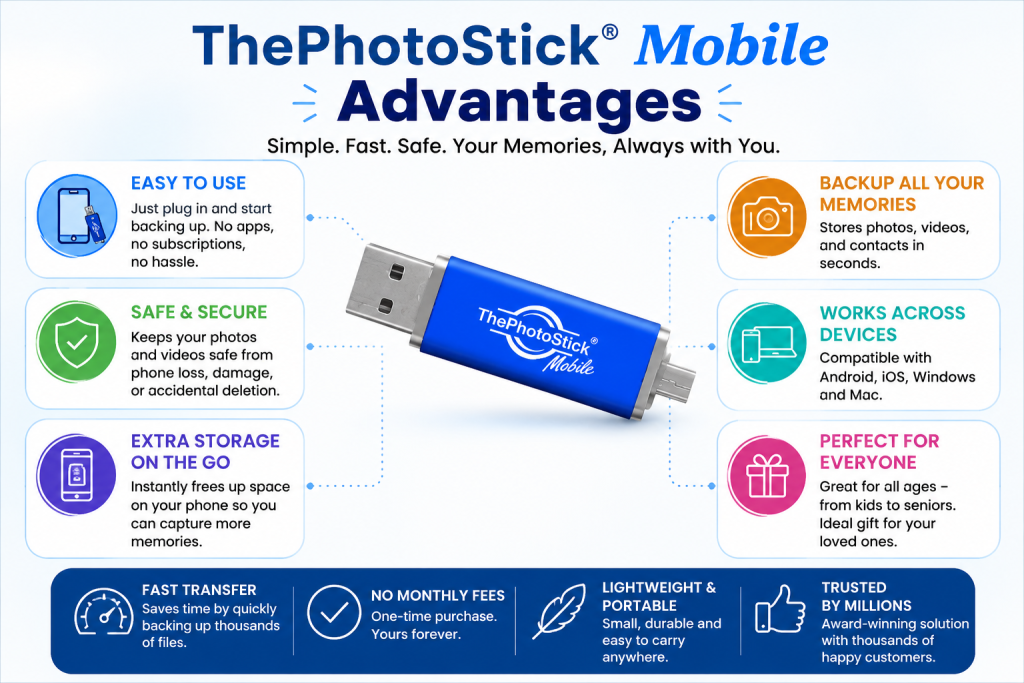
The manufacturer markets the Mobile products as a physical-storage solution without a monthly cloud-storage subscription.
That is attractive for buyers who prefer a one-time hardware purchase.
It does not mean that physical storage has no long-term risk. A USB device can fail, become corrupted, get lost or be physically damaged.
What Are the Real Benefits?
1. It gives you a physical copy
Cloud storage is convenient, but some people simply prefer having a local copy they can hold, store and move between devices.
That is ThePhotoStick Mobile’s clearest advantage.
2. No cloud account is required for the basic backup workflow
For someone who does not want to manage another subscription or cloud account, a dedicated storage device can feel simpler.
3. It can help free phone storage
Once you’ve verified that important photos and videos have been successfully copied, moving older files off your phone can create additional local storage.
The company’s iOS guide specifically documents a process for removing backed-up files from the phone, while warning that deleted iPhone/iPad photos may remain in Recently Deleted until permanently removed.
That last step matters: never delete originals simply because a backup process says it is complete. Verify the backup first.
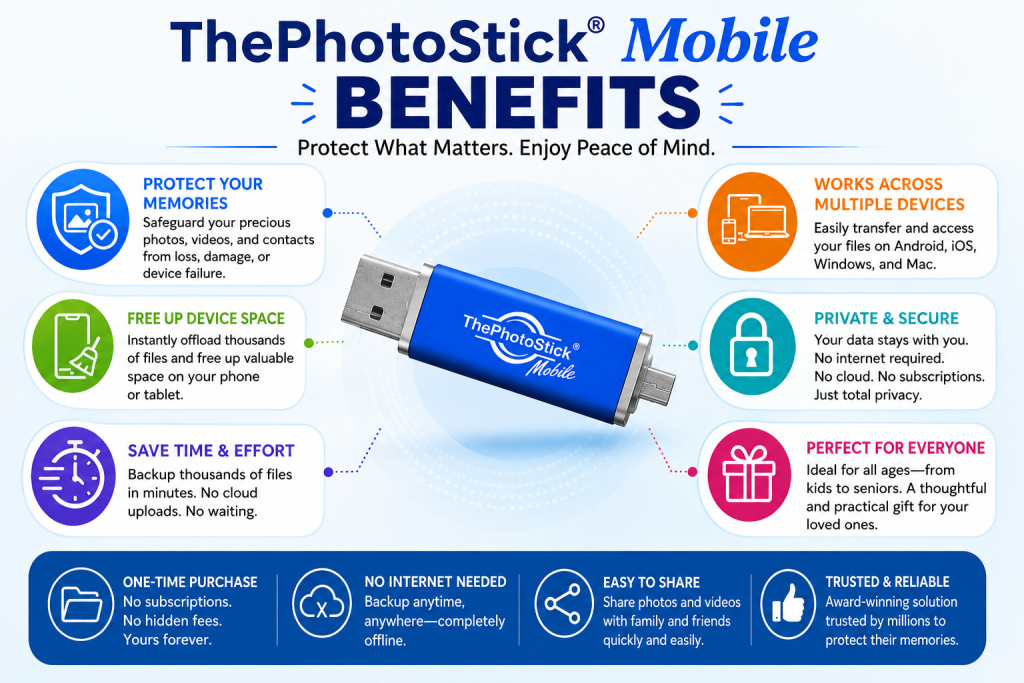
4. It can be useful without reliable internet
For travel or situations where Wi-Fi is limited, a physical backup device can be more convenient than waiting for a large cloud upload.
5. It can be approachable for less technical users
The product is designed around a guided mobile app rather than asking users to manually browse folders and copy individual files.
That does not guarantee that every phone will behave perfectly, but the intended workflow is simpler than building a manual file-management routine from scratch.
ThePhotoStick Mobile Limitations
A useful review should make the disadvantages just as clear as the benefits.
1. Compatibility deserves careful attention
The iOS version’s Lightning requirement is especially important in a USB-C iPhone market. Apple says iPhone 15 and later use USB-C, so buyers with newer phones should verify direct compatibility before ordering.
2. It is still physical storage
If the stick is lost, damaged or fails, the files stored only on that device are at risk.
This is one reason a physical drive should be considered one layer of a backup strategy, not the entire strategy.
3. Backup time can vary significantly
The manufacturer itself states that backup time depends on file count, file size and the device being used.
That means it would be misleading to promise every buyer the same transfer speed.
Independent user feedback also contains reports of lengthy backup attempts, detection problems and incomplete processes. Those reports are worth considering, but they are individual experiences rather than controlled performance measurements.
4. The app remains a dependency
A USB drive that can be opened manually is one thing. A mobile backup product built around a specific app is another.
ThePhotoStick’s support library shows that app permissions, device detection and OS-specific behavior can affect setup and troubleshooting.
5. Your “backup” should still be verified
Copying files is not the same as having a reliable backup.
After a large transfer, open several photos and videos directly from the stored copy. Check older files as well as recent ones. For irreplaceable memories, keep another copy in a different location.
What Users Are Saying
Public customer feedback is mixed.
The PhotoStick’s Trustpilot profile currently has a 3.0/5 TrustScore from 573 reviews, but the site itself says the review population may not be representative. The visible reviews include both customers praising customer support and customers reporting problems involving compatibility, delivery, detection and lengthy backups.
The US App Store listing for the older ThePhotoStick Mobile app also shows a low historical rating of 1.8/5 from 101 ratings, with several reviews describing detection and backup-completion problems.
These signals should not be turned into a blanket statement that the product “doesn’t work.” They do, however, support a practical conclusion: compatibility and setup deserve attention, and buyers should keep the return window in mind.
ThePhotoStick Mobile vs. Cloud Storage
The choice is not necessarily “device or cloud.”
For many people, the better setup is device + cloud.
A physical device gives you an offline local copy. Cloud storage gives you an off-site copy that is protected against some risks that can affect physical storage at home.
TheGadgetsAdda’s broader cloud-backup guide discusses multi-layer backup strategies and emphasizes testing restores rather than assuming a backup is automatically reliable.
So think of ThePhotoStick Mobile as a storage layer—not as a complete disaster-recovery plan.
ThePhotoStick Mobile vs. SanDisk
A competing category worth considering is SanDisk’s mobile flash-drive lineup.
SanDisk currently offers products designed around direct phone storage and provides current compatibility documentation for USB-C iPhones, including iPhone 15, 16 and 17 families. Some models combine Lightning and USB-C connectors, while others are designed specifically around USB-C.
This creates a practical distinction:
| Buyer need | ThePhotoStick Mobile | SanDisk mobile drives |
|---|---|---|
| Simple guided backup workflow | Strong fit | Depends on model/app |
| Physical local storage | Yes | Yes |
| USB-C iPhone compatibility | Model-dependent; check carefully | Current supported models exist |
| Cross-device flexibility | Limited with Mobile versions | Broader on certain dual-connector models |
| Warranty visibility | 30-day limited warranty for Mobile defects | Some current models list 2-year limited warranty |
| Best reason to consider | Simplicity and dedicated photo-backup workflow | Connector flexibility and established flash-drive ecosystem |
SanDisk’s current documentation also shows support for USB-C iPhones and dual-connector products such as the iXpand Luxe.
That does not make one product universally better. It means your phone connector and preferred workflow should influence the choice.
ThePhotoStick Mobile vs. Traditional USB Storage
A standard USB flash drive can be cheaper per gigabyte, but it typically does not provide the same specialized guided phone-backup experience.
The trade-off is simple:
Regular USB drive: potentially lower storage cost and more general-purpose file management.
ThePhotoStick Mobile: a more specialized workflow aimed at people who want the backup process simplified through dedicated software.
Someone comfortable manually moving files may not need to pay extra for that convenience.
Storage Capacity: How Many Photos Can It Hold?
The company uses an average 2MB photo when estimating storage capacity. Its FAQ gives approximately 12,800 photos for 32GB, 25,600 for 64GB, 51,200 for 128GB and 102,400 for 256GB.
Those aren’t guarantees.
A 4K video can consume more storage than dozens or hundreds of ordinary photos. RAW photographs can also be considerably larger than the 2MB assumption used for the manufacturer’s estimate.
For that reason, someone with a large video library should think in gigabytes, not “number of photos.”
Which Storage Capacity Should You Buy?
32GB
Suitable for smaller photo libraries and lighter users.
64GB
A reasonable middle ground for many phone owners who mainly need photo storage and occasional videos.
128GB
More appropriate if you have years of photos, frequent video recording or want more breathing room.
256GB
Makes sense for large libraries, particularly when videos occupy a meaningful amount of your storage.
Remember that nominal storage capacity does not translate into one fixed number of photos. Video size, camera resolution and file formats can change the calculation dramatically.
ThePhotoStick Mobile Price
As of September 16, 2026, the official store lists the following Mobile prices:
Android
| Capacity | Current listed sale price | Regular listed price |
|---|---|---|
| 32GB | $49.99 | $139.99 |
| 64GB | $79.97 | $199.99 |
| 128GB | $99.97 | $249.99 |
| 256GB | $149.00 | $229.99 |
iPhone/iPad
| Capacity | Current listed sale price | Regular listed price |
|---|---|---|
| 32GB | $79.99 | $139.99 |
| 64GB | $99.97 | $199.99 |
| 128GB | $119.99 | $249.99 |
| 256GB | $149.00 | $229.99 |
These prices are promotional listings and can change. The official store also currently advertises free U.S. shipping on orders of $50 or more.
One interesting price difference
The Android and iPhone versions don’t follow the same pricing at the lower capacities.
For example, the 32GB Android model is listed at $49.99, while the 32GB iPhone version is listed at $79.99.
That makes connector compatibility especially important before you compare prices.
Is ThePhotoStick Mobile Worth the Cost?
The answer depends heavily on what you are paying for.
You’re not just buying flash storage. You’re paying for the backup software and simplified workflow built around the device.
A generic flash drive can often provide cheaper storage, but it may require more manual work.
A cloud service can provide automatic syncing, remote access and protection against loss of a physical drive, but it normally involves an ongoing service relationship.
ThePhotoStick Mobile sits between those approaches:
Physical storage + dedicated backup software + no required recurring cloud subscription.
That can be useful for people who value simplicity.
But the premium becomes harder to justify if you are comfortable manually transferring files to a standard drive or already have a reliable backup system.
How To Use ThePhotoStick Mobile
The exact screen names can differ by app/version, but the documented process is broadly:
Step 1: Install the appropriate app
Use the app associated with your Mobile version.
Step 2: Grant media permissions
The app needs access to photos and videos to perform the backup.
Step 3: Connect the device
Use Lightning for the older/current Mobile iOS model or the appropriate Android connector/adapter.
Step 4: Select the ThePhotoStick device
On Android, the manufacturer documents selecting the PHOTOSTICK storage folder; on iOS, the app provides device-selection instructions.
Step 5: Start the backup
Use the backup command shown by the app.
Step 6: Don’t assume completion means everything is safe
For valuable photographs, verify the backup independently.
Open the drive on a computer and spot-check files. Ideally, maintain another copy elsewhere.
This last step is especially important because the company’s terms advise users to keep additional backup storage.
Backup Speed and Reliability
I did not independently benchmark the device, so I won’t publish a made-up transfer-speed figure.
There is, however, enough consumer feedback to say that slow transfers and connection problems are recurring complaints in the historical app and customer-review evidence.
The Google Play listing for TPS Mobile shows roughly 1.6 stars from 442 reviews and includes reports concerning device detection, instructions and long backup sessions.
The older iOS Mobile app listing shows 1.8/5 from 101 ratings, with complaints about failed detection and incomplete backups.
These app ratings should not be interpreted as a definitive rating of the current hardware because app versions change and the Android listing is old. But they are relevant evidence that the software layer has historically been a weak point.
What I Like
The basic idea is easy to understand
The product has a clear use case: make a physical copy of your important photos without requiring a cloud subscription.
Physical backup has real value
A second copy can be useful when your primary photos are only stored on a phone.
Computer transfer is convenient
The ability to connect the device to a computer means the backup doesn’t necessarily have to remain trapped on the Mobile drive.
Multiple capacities are available
The current store gives buyers several storage tiers rather than forcing everyone into one capacity.
What Concerns Me
Connector aging
The Lightning-only iPhone Mobile version is increasingly awkward for current iPhone buyers because Apple moved the iPhone to USB-C beginning with the iPhone 15 generation.
This is arguably the biggest issue with buying the Mobile model specifically.
App dependence
The convenience of ThePhotoStick comes partly from its software. That means app compatibility and continued support are important.
The Android app documentation is particularly messy because the company’s guide and independent app-availability evidence don’t currently agree.
Short warranty
The dedicated policy currently specifies only 30 days after shipment for defects in materials and workmanship.
Policy inconsistencies
The existence of 30-day and 60-day language on different official pages makes it important to check the actual policy at checkout and save it.
It should not be your only backup
A flash drive can be lost, damaged, corrupted or simply stop functioning.
For truly important family photos, I would treat ThePhotoStick Mobile as one backup layer, not the entire backup strategy.
Consumer Reviews: What Are Users Saying?
Consumer sentiment is mixed.
Trustpilot currently displays 573 reviews and a 3.0/5 average for ThePhotoStick, with 59% of the listed reviews being one-star. Trustpilot also notes that its review population may not necessarily be representative.
Recent reviews include both positive customer-service experiences and complaints about shipping, product behavior and support.
That matters because it prevents a simplistic “everyone loves it” or “everyone hates it” conclusion.
The evidence suggests that users’ experiences vary, with positive reports centered on convenience and successful backups, and negative reports often involving connection, backup completion, shipping or customer-support issues.
Is ThePhotoStick Mobile Legit?
There are several verifiable indicators that the product and company are real.
Prairie IT is a documented U.S. business, BBB lists Prairie IT LLC with ThePhotoStick as an alternate business name, and Mark Oman is identified as founder.
ThePhotoStick is also a registered trademark associated with Prairie IT.
The company maintains an official storefront, support documentation, product guides and mobile applications.
That establishes a verifiable business/product identity.
However, being a legitimate business is not the same as guaranteeing a trouble-free buying experience.
BBB currently lists Prairie IT LLC as not BBB accredited, while showing an A- rating and 17 complaints in the rating explanation. BBB also notes that its complaint information should be interpreted in context and that it does not endorse products.
So the practical conclusion is:
ThePhotoStick Mobile is not an anonymous product from an unidentifiable seller, but buyers should still evaluate compatibility, app availability, warranty and returns before purchasing.
ThePhotoStick Mobile vs Alternatives
One useful alternative is SanDisk iXpand Luxe Flash Drive.
SanDisk’s iXpand Luxe uses a two-connector design and is intended to move data between Apple Lightning devices and USB-C devices, including Android phones. SanDisk also documents compatibility with newer USB-C iPhones, subject to model and firmware requirements.
That makes the decision less about “which product is best?” and more about what workflow you want.
| Option | Main advantage | Main trade-off |
|---|---|---|
| ThePhotoStick Mobile | Dedicated backup-focused app/workflow | Connector/app limitations |
| SanDisk iXpand Luxe | Dual-connector flexibility | Still app/software dependent |
| Standard USB-C flash drive | Often inexpensive and versatile | More manual file management |
| Cloud backup | Automatic off-device/cloud copy | Recurring service/storage considerations |
| ThePhotoStick Omni | Designed for wider cross-device use | Higher cost than basic Mobile models |
The SanDisk iXpand Luxe is particularly relevant for a mixed-device household because SanDisk documents support for Lightning and USB-C ecosystems.
Who Should Buy ThePhotoStick Mobile?
Consider it when:
You have a compatible phone, mainly want offline photo/video storage, and value a guided backup process more than maximum speed or flexibility.
It can also make sense for someone who has been repeatedly postponing backups because traditional file management feels complicated.
Think twice when:
You use an iPhone 15 or newer and the product you’re considering is the Lightning Mobile version.
You use Android and cannot currently confirm that the required app is available for your phone.
You need a multi-year hardware warranty.
You have an enormous video library and want fast transfers.
You need professional-grade backup redundancy.
Who Should Skip It?
A standard external drive or another phone-storage product may make more sense for someone who is comfortable managing files manually.
Likewise, someone who already has a properly configured cloud-plus-local backup strategy may gain relatively little from buying another dedicated backup stick.
The product solves a specific problem. It does not replace a complete backup strategy.
Returns, Warranty & Shipping
The company’s current return policy says ThePhotoStick Mobile can be returned for any reason within 30 days from the date of delivery for a refund of the purchase amount. Shipping and handling charges and taxes are non-refundable, and return shipping is the customer’s responsibility.
There is a separate limited warranty statement covering defects in materials and workmanship for the Mobile product during the first 30 days after shipment.
That distinction is important because a return window and a warranty are not the same thing.
The current shipping-information page says US destinations generally take 5–8 business days in transit, although delivery times can vary.
Because policies and fulfillment details can change, always confirm the current terms at checkout.
How To Order ThePhotoStick Mobile
The most transparent purchasing route is the company’s official ThePhotoStick store rather than a paid advertorial landing page.
The research reference supplied for this review is explicitly labeled “Advertorial” and says it is an advertisement rather than an actual news article. It also uses aggressive urgency language and claims such as “1 in 3 smartphone users” losing photos to water damage; I did not find sufficiently reliable evidence to treat that specific statistic as established fact.
That is exactly why buyers should separate promotional copy from independently verifiable product information.
Where to Buy ThePhotoStick Mobile
Before ordering, check the exact device version, connector, operating-system requirement, capacity, return policy and current price.
You can also check the current offer through our affiliate link below:
Check the current ThePhotoStick Mobile offer
Because promotional pricing can change, the price shown when you click through should take priority over an older price mentioned in an article.
Frequently Asked Questions About ThePhotoStick Mobile
Is ThePhotoStick Mobile worth it?
It can be useful for buyers who specifically want an easy physical photo backup. Its value is lower for people who already have a reliable backup system or who prefer standard USB storage.
How does ThePhotoStick Mobile work?
You connect the device to a compatible phone, install the appropriate app, grant media permissions and start a backup. The software copies supported files onto the physical storage.
How much does ThePhotoStick Mobile cost?
As of September 16, 2026, the official store lists Mobile models from $49.99 for 32GB Android to $149 for 256GB, while the iPhone/iPad versions currently range from $79.99 to $149.
Does ThePhotoStick Mobile work with iPhone 15 and newer?
The current Mobile iPhone model is listed for Lightning-port Apple devices. Apple says iPhone 15 and later use USB-C, so direct compatibility should not be assumed.
Is ThePhotoStick Mobile legit?
The business and product can be independently tied to Prairie IT, including a documented business profile and registered trademark. However, legitimacy does not guarantee reliability, app availability or a trouble-free return experience.
What are the main alternatives?
Relevant choices include SanDisk iXpand products, conventional USB-C storage, cloud backup, and ThePhotoStick Omni for broader cross-device use.
Does it work with iPhone 15 and newer?
Apple says iPhone 15 and later use USB-C. The current ThePhotoStick Mobile iOS documentation emphasizes Lightning compatibility, so buyers with USB-C iPhones should verify direct compatibility before purchasing rather than assuming the Lightning model will work.
Does ThePhotoStick Mobile work with Android?
The Android version is designed for compatible Android phones and tablets, and ThePhotoStick’s documentation says the device must support USB OTG.
Does it require Wi-Fi?
The manufacturer describes ThePhotoStick as an offline physical backup solution and says there are no monthly storage fees associated with the product workflow.
Does ThePhotoStick Mobile back up videos?
Yes. The product is designed to back up photos and videos, although large video libraries can take considerably longer to transfer because file size is a major factor in backup time.
How long does ThePhotoStick Mobile take to back up photos?
There is no single reliable answer. The manufacturer says backup time depends on the amount and size of the files and the device being used.
Does ThePhotoStick Mobile delete photos from my phone?
Its iOS documentation provides a separate option to remove backed-up files, rather than automatically treating the initial backup as a deletion event. Users should verify the backup before removing originals.
What is the return policy?
The current policy says returns are accepted within 30 days from delivery, with shipping and handling charges and taxes non-refundable.
Does ThePhotoStick Mobile have a warranty?
The company states that its limited warranty for ThePhotoStick Mobile covers defects in materials and workmanship for the first 30 days after shipment.
Is ThePhotoStick Mobile a complete backup solution?
No physical stick should be treated as your only protection for irreplaceable files. A second backup copy, ideally stored separately, reduces the risk associated with theft, loss, damage or hardware failure.
Final Verdict
ThePhotoStick Mobile is a real physical backup product built around a simple concept: put a second copy of your phone photos on removable storage without relying exclusively on the cloud.
That concept remains useful.
The bigger concern in 2026 is the product’s ecosystem.
For older Lightning-based iPhones, the Mobile model is reasonably straightforward conceptually. For modern USB-C iPhones, the connector mismatch is a major limitation. For Android users, the current relationship between the manufacturer’s documentation and the availability of the TPS Mobile app deserves verification before purchase.
The product also comes with a relatively short stated limited warranty and inconsistent guarantee language across official pages.
The biggest advantage
A simple physical/offline backup workflow that can be easier for less technical users than manually organizing files.
The biggest drawback
The Mobile product is becoming less future-proof, particularly because the iPhone version remains centered on Lightning while modern iPhones use USB-C.
My research-based conclusion
ThePhotoStick Mobile is worth considering only after compatibility is confirmed. It shouldn’t be purchased purely because an advertisement says the backup is “one click.” The current app, connector, return terms and actual storage needs are more important buying factors.
And regardless of whether you buy ThePhotoStick, an important principle remains: never keep irreplaceable family photos in only one location.