
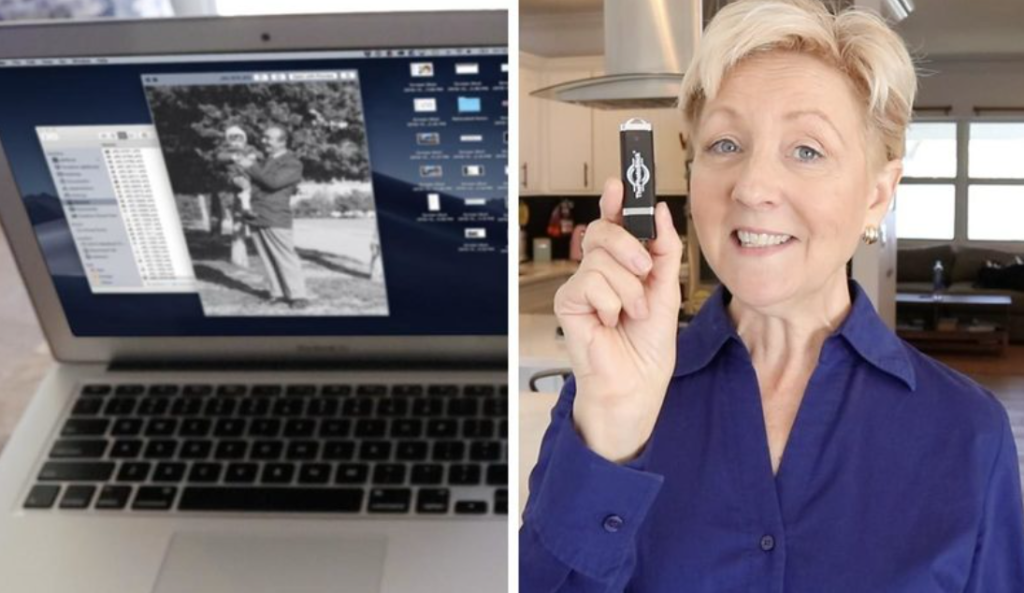
If your phone or computer contains years of family photos and videos, ThePhotoStick is designed to make one job easier: copying those files to physical storage without requiring you to manually hunt through folders.
The idea is simple. Plug in the device, use the supplied software or mobile app, and let it locate supported files and copy them to the stick.
That convenience is the main reason to consider ThePhotoStick.
But convenience is not the same thing as a complete backup strategy. The bigger question is whether the current ThePhotoStick lineup gives you enough value and reliability for your particular devices, storage needs, and backup habits.
After reviewing the current product information, support documentation, app-store feedback and available customer-review data, here’s what US buyers should know before ordering.
ThePhotoStick Review: Quick Verdict
Best for: People who want a simple physical way to copy photos and videos from phones, tablets and computers without managing a traditional file-by-file backup workflow.
May not be ideal for: Buyers who mainly care about the lowest storage cost, very high transfer speeds, encrypted removable storage, or a fully automated off-site backup system.
Key strength: The dedicated software/app is designed to simplify photo and video backup across supported devices.
Key limitation: The device itself is still physical removable storage, so it should not be your only copy of important memories.

Value assessment: ThePhotoStick makes the most sense when convenience is worth paying extra for. A standard USB flash drive or portable SSD can provide storage more cheaply or much faster, but may require more manual organization.
Bottom line: ThePhotoStick is a legitimate consumer backup product with a useful convenience-focused workflow. Whether it is worth buying depends heavily on your device compatibility, library size and whether you want convenience over maximum storage value.
What Is ThePhotoStick?
ThePhotoStick is a family of USB-based photo and video backup products developed and sold by Prairie IT.
The original concept was straightforward: instead of asking users to hunt through folders manually, the software associated with ThePhotoStick searches for supported media and helps copy it to the drive.
The current product family includes traditional computer-focused models as well as the newer Omni and Omni X products. The Omni X is the most versatile current design because it combines several connector types into one device.
The company says its founder, Mark Oman, created ThePhotoStick after experiencing personal photo loss and wanting an easier backup solution. That is the manufacturer’s account of the product’s origin, rather than independently verified testing.
One important practical point
The manufacturer acknowledges that a large photo library can take time to process. Backup time varies according to the number and size of files and the device being used.
So “one-click backup” should not be interpreted as “everything finishes instantly.”
How Does ThePhotoStick Work?
The basic concept is simple:
- Connect the device to a compatible phone, tablet or computer.
- Install or open the appropriate ThePhotoStick software/app where required.
- Give the app the permissions it needs.
- Start the backup.
- The software searches supported media and copies files to the physical drive.
For the Omni X, the hardware includes USB-A, USB-C, Lightning and Micro-USB connectors. It uses USB 3.0 and does not require a built-in battery.
On iPhone and iPad, the official instructions involve installing the ThePhotoStick Omni app, connecting the drive and following the prompts to allow access. Android users similarly install the app and connect the drive.
On Windows and Mac, the procedure is different because the computer can access the drive and its software directly.
The important practical point is that ThePhotoStick is not magic cloud backup. You’re physically transferring a copy of your files onto removable storage.
What Does ThePhotoStick Actually Do?
There are three separate benefits that are easy to confuse.
1. It provides physical storage
Your backed-up files reside on the device itself.
That means you’re not paying a monthly cloud-storage fee just to keep that particular copy available.
2. It automates file finding
The software is designed to locate supported photos and videos rather than requiring the user to manually browse every folder.
That can be particularly useful for someone who has years of scattered photos.
3. It provides cross-device flexibility
The Omni family is designed to move data between phones, tablets and computers using its available connectors and software.
That’s one of the main reasons the current Omni line is substantially different from many older ThePhotoStick reviews found online.
Key ThePhotoStick Features – And Why They Matter
Cross-device backup
The Omni family is designed to move supported files between computers and mobile devices.
That is useful for households where photos are spread across a Windows PC, MacBook, iPhone and Android device.
A traditional single-purpose phone drive may not be as flexible.
Dedicated backup software
This is arguably ThePhotoStick’s biggest differentiator.
The software is designed to search for supported files instead of requiring the user to manually browse every folder.
For less technical users, that can be more valuable than raw storage specifications.
Multiple storage capacities
The current Omni Classic store page lists capacities from 32GB through 512GB, while current Omni X pages show smaller and larger variants depending on the product page.
The manufacturer uses an average 2MB photo size when estimating how many photos fit on a particular capacity. It also warns that RAW images, larger photographs and video files can consume considerably more space.
That means “50,000 photos” should be treated as an approximate marketing estimate, not a universal capacity guarantee.
No ongoing app subscription
The manufacturer says the Omni app does not require a monthly fee or download charge.
For buyers tired of recurring cloud-storage charges, that is an understandable attraction.
But remember that avoiding a cloud subscription also means you are responsible for managing the physical storage device yourself.
Supports more than photographs
The current Omni X material says the product can work with documents, audio and other file types as well as photos and video.
That makes it more flexible than the name “PhotoStick” suggests.
What Are the Realistic Benefits?
The biggest benefit is simplification.
Someone comfortable with computers can already copy photos to a folder, flash drive, SSD or NAS.
ThePhotoStick is designed for someone who does not want to think through folder structures and file management every time they make a backup.
It can also be useful when:
- Your phone is running low on storage.
- Photos are scattered across several devices.
- You have family members who are not comfortable managing files manually.
- You want a physical copy that you can store separately from your computer.
- You prefer a one-time hardware purchase rather than adding another monthly subscription.
Those benefits are legitimate, but they are convenience benefits-not evidence that the device is inherently safer than every competing storage option.
The Limitations You Should Know Before Buying
1. One PhotoStick is not a complete backup strategy
This is the most important limitation.
A USB device can be lost, damaged, corrupted or stolen.
CISA recommends backing up important data to secure external storage or properly vetted cloud services and keeping multiple copies. Its published guidance also describes the 3-2-1 approach: three copies, two types of media and one off-site copy.
A better setup would therefore be:
Phone/computer → ThePhotoStick → second backup or cloud/off-site copy
ThePhotoStick can be one layer in your backup system. It should not be the entire system.
2. Storage isn’t the same as speed
The current ThePhotoStick pages emphasize ease of use rather than publishing the kind of detailed read/write performance figures common with premium SSDs.
That matters if you’re moving hundreds of gigabytes of high-resolution video.
A portable SSD can be considerably faster. Samsung’s T7 Shield, for example, lists sequential read speeds up to 1,050MB/s and write speeds up to 1,000MB/s.
ThePhotoStick’s appeal is therefore workflow simplicity, not high-end storage performance.
3. Device detection can occasionally be frustrating
Official support documentation contains troubleshooting guidance for systems where the device is not detected, while user reviews also mention recognition and connection problems.
The company’s Windows support documentation even notes that antivirus software can sometimes prevent the application from running.
That does not mean buyers should casually turn off antivirus protection. A safer approach is to use the manufacturer’s support instructions and only allow trusted software when you understand what is being permitted.
4. The return window is relatively short
The current published policy provides a 30-day money-back guarantee, starting from delivery, with shipping/handling charges and taxes excluded from the refund.
That makes early compatibility testing important.
5. Don’t assume encryption
The product documentation reviewed for this article emphasizes local physical storage and the absence of recurring cloud fees. It does not prominently establish hardware encryption for the storage device.
Privacy-conscious buyers should therefore treat it like other removable storage: protect the device physically and avoid assuming that simply owning the product means the files are automatically encrypted.
Compatibility: Check This Before Buying
Compatibility is one of the most important parts of this purchase.
The current official system-requirements page lists:
Omni / Omni X
- Windows 7 SP1 and later
- macOS 10.13 and later
- iOS/iPadOS 13 and later
- Android 8 and later, with specific Pixel limitations documented by ThePhotoStick
The Omni X support documentation specifically says that Google Pixel compatibility starts with Pixel 8 and later, which is an important exception to the generic “Android 8+” wording.
Phone cases can also interfere with the connector physically fitting into the device. The company’s setup guide specifically warns that some cases may need to be removed.
For this reason, don’t purchase based only on the phrase “works with iPhone and Android.” Check your exact model, operating system and available port.
How To Use ThePhotoStick
The current Omni X workflow is relatively straightforward.
On iPhone or iPad
Install the ThePhotoStick Omni app from the App Store, connect the drive, follow the setup instructions and grant the requested access so the app can locate your media.
On Android
Install the ThePhotoStick Omni app from Google Play, connect the device and follow the prompts. The app may request access to your photos, videos and other supported files.
On Windows
Connect the device to a USB port, locate the ThePhotoStick drive through File Explorer and launch the appropriate software.
On Mac
Connect it through a compatible USB connection, locate the device in Finder and launch the Mac application as instructed by the support documentation.
The company notes that large libraries can take significant time to scan and transfer. The amount of data and the type of device affect the process.
ThePhotoStick Customer Reviews: What Do Buyers Say?
Customer feedback is mixed, and that is worth knowing before purchase.
The official iOS app currently shows about 4.5/5 from 4.4K ratings in the US App Store. The Google Play listing shows 4.0/5 from roughly 1.63K reviews.
However, the broader company-level picture on Trustpilot is less favorable. ThePhotoStick’s Trustpilot profile currently shows 3.0/5 from 573 reviews, with a high share of one-star ratings. Trustpilot itself notes that the review history may not be representative.
The difference is important.
App-store ratings mostly tell you about the app and its day-to-day usability.
Trustpilot is broader and can include shipping, refunds, customer support and overall company experiences.
Neither dataset independently proves product reliability.
Recent customer feedback includes both positive reports about ease of backup and negative reports involving device recognition, incomplete backups and usability problems.
The takeaway is not that every buyer will have the same experience. It is that compatibility and early testing matter.
ThePhotoStick vs. a Standard USB Flash Drive
A normal flash drive can perform the same basic physical task: store copies of your photos.
The difference is the software experience.
A standard drive may be cheaper per gigabyte and gives you more freedom over how files are organized. But you generally have to select, copy and manage those files yourself.
ThePhotoStick is designed to reduce that work.
For a technically confident user with an organized photo library, the extra cost may not buy much.
For someone who finds file management tedious or confusing, the software workflow may be the whole reason to buy it.
ThePhotoStick vs. a Portable SSD
A portable SSD makes more sense when capacity, speed and heavy file transfers are the priorities.
Samsung’s T7 Shield, for example, offers 1TB and larger capacities, USB 3.2 Gen 2 connectivity and advertised speeds of up to 1,050MB/s read and 1,000MB/s write, along with IP65 protection and a three-year limited warranty.
That is a very different value proposition.
Choose the PhotoStick-style approach when convenience is the priority.
Choose a portable SSD when performance, capacity and durability are higher priorities.
ThePhotoStick vs. a Dual-Connector Flash Drive
A mainstream dual-connector drive such as SanDisk’s Ultra Dual Drive Luxe provides USB-A and USB-C connectors and capacities extending to 2TB, with listed read performance up to 400MB/s on supported models and a five-year limited warranty.
That kind of drive can be excellent value for people comfortable with manually moving files.
Again, the decision comes down to whether you’re paying for storage hardware or a guided backup workflow.
ThePhotoStick vs. Cloud Backup
Cloud storage and physical backup solve different problems.
A PhotoStick gives you a local physical copy.
Cloud backup provides off-site protection and makes files accessible across locations and devices, depending on the service.
The trade-off is cost, privacy preferences, internet dependence and ongoing management.
For irreplaceable family photos, the strongest approach is usually not choosing one or the other. It is maintaining more than one copy in different locations. CISA guidance supports maintaining multiple backup copies and secure external or cloud storage.
Who Should Consider ThePhotoStick?
The product makes the most sense for buyers who:
- Want a simple, physical photo-backup device.
- Have photos scattered across several devices.
- Prefer avoiding recurring cloud-storage fees.
- Are not comfortable managing traditional file backups.
- Want a physical copy of important memories.
- Need something a less technical family member can operate.
Who Should Probably Skip It?
Consider another solution when:
- You primarily want the cheapest storage per gigabyte.
- You transfer large video libraries frequently.
- You need very high transfer performance.
- You specifically require hardware-encrypted removable storage.
- You want continuous automated off-site protection.
- You’re already comfortable using an SSD, NAS or professional backup system.
Is ThePhotoStick Worth It?
It depends on what you value.
For someone who sees a flash drive as confusing and wants a guided way to find and copy photos, the extra convenience can justify the premium.
For a technically confident buyer who already knows how to organize files and maintain backups, an ordinary flash drive, dual-connector drive or portable SSD may provide better raw value.
There is another important consideration: don’t compare ThePhotoStick only against storage products. Compare it against your current backup behavior.
A technically impressive SSD sitting unused is not very useful.
A simpler device that you actually use regularly can provide practical value.
That’s where ThePhotoStick has its strongest argument.
How Much Does ThePhotoStick Cost?
This is one area where consumers should be careful.
The official site currently displays multiple promotional prices depending on the product and capacity.
For example, the current Omni page shows:
| Capacity | Current listed sale price* |
|---|---|
| 32GB | $44.99 |
| 64GB | $59.99 |
| 128GB | $84.99 |
| 256GB | $138.99 |
| 512GB | Listed separately on the product line |
*Prices are promotional website prices observed during this research and can change. The exact price should be checked for the selected product and capacity before purchasing.
The Omni X product page currently displays a starting promotional price of $44.99, with different storage capacities available.
A separate current 32GB Omni X page displays $64.99, illustrating why a review should not present one headline number as the universal “ThePhotoStick price.”
Is ThePhotoStick expensive?
That depends on the comparison.
You’re not simply buying raw flash storage. You’re paying for the physical device plus the dedicated backup software/app and multi-device design.
However, ordinary USB flash drives and external SSDs can provide much larger storage capacity for the money, while services such as iCloud and Google One provide continuous online synchronization and backup functionality for relatively low monthly fees.
So the value proposition isn’t really “cheap storage.”
It is “simpler photo backup for people who don’t want to manage storage manually.”
ThePhotoStick Pros
Simple physical backup concept
The device gives users a tangible copy of their files rather than keeping everything exclusively online. That can appeal to buyers who prefer physical storage.
Multi-device flexibility with Omni X
The Omni X’s four connector types are one of the clearest advantages of the current design.
No recurring storage subscription for the device
The company markets the physical drive as a way to avoid ongoing cloud-storage fees for that copy.
Designed for less technical users
The app and backup workflow are clearly intended to reduce the amount of manual file management required.
That is a meaningful benefit for people who don’t understand computer folder structures or don’t want to spend an afternoon sorting files.
ThePhotoStick Cons
A physical drive can still be lost or damaged
This is the biggest conceptual weakness.
A backup sitting in your house, car, office or bag can be lost, stolen or damaged along with the original device.
CISA recommends keeping multiple backup copies, including copies on different media and an off-site copy.
Performance isn’t independently well documented
The company explains how the system works but does not provide the kind of standardized read/write benchmarks that you’d typically see from major SSD manufacturers.
Consumer reports also vary considerably. Some users describe successful and easy transfers, while others report slow backups, setup problems or compatibility issues.
Compatibility needs attention
“Universal” should not be interpreted as literally every phone, computer or configuration.
The Pixel 8+ limitation alone demonstrates why checking exact compatibility matters.
Return/warranty language needs clarification
The conflicting 30-day and 60-day documentation is something I would personally want clarified before placing a substantial order.
What I Like About ThePhotoStick
The strongest part of the product is its user-centered positioning.
An ordinary flash drive gives you storage but doesn’t necessarily make the backup process easier.
ThePhotoStick tries to solve the other half of the problem: finding and transferring lots of photos without requiring the buyer to understand file management.
The Omni X also makes practical sense for families using multiple device types because the integrated connectors eliminate the need for separate adapter cables in many situations.
I also like that the company explicitly tells users to keep additional backups. That is important because a physical photo stick should never be confused with a complete disaster-recovery strategy.
What Concerns Me
The biggest concern isn’t that ThePhotoStick is obviously fake; the evidence supports it being a real established product associated with Prairie IT.
The concern is how much confidence a buyer should place in the device as their only copy of irreplaceable memories.
The answer should be: very little.
The company’s own terms encourage additional backups, and CISA recommends multiple backup copies and different storage media.
I would also treat advertised storage counts as estimates rather than promises.
And because independent feedback is mixed, someone with a very large photo archive should ideally perform a small test transfer and confirm that files can actually be opened from the drive before deleting anything from the original device.
Is ThePhotoStick Legit?
There is substantial evidence that ThePhotoStick is a real commercial product and established brand, rather than merely an anonymous website.
ThePhotoStick is associated with Prairie IT, the brand has a registered U.S. trademark history, the company maintains a support center, product documentation and customer-service channels, and there are many years of public customer feedback.
That does not mean every customer will have a perfect experience.
Independent Trustpilot feedback is mixed, including positive experiences with replacements and support alongside complaints about compatibility, slow transfers, setup and product failures.
So the evidence supports describing ThePhotoStick as an established product brand, while avoiding stronger claims about reliability that would require controlled testing.
Should You Use ThePhotoStick as Your Only Backup?
No.
That is the clearest recommendation supported by the available evidence.
ThePhotoStick gives you another copy, but a single removable drive is still a single physical point of failure.
A stronger personal setup would involve your originals plus another backup stored separately, with at least one copy kept away from the primary device/location. CISA’s guidance similarly emphasizes multiple copies, different media and an off-site copy.
For irreplaceable family photos, I’d rather see someone use ThePhotoStick alongside cloud storage or another external drive than treat it as a complete backup system.
ThePhotoStick Return Policy and Warranty
The manufacturer currently advertises a 30-day money-back guarantee. Returns can be made for any reason within 30 days from delivery, but shipping and handling charges and taxes are excluded from the refund.
The same published support page describes a limited warranty covering defects in materials and workmanship during the first 30 days after shipment.
Before ordering, buyers should read the current policy themselves because terms can change.
Where to Buy ThePhotoStick
The safest starting point is the manufacturer’s current storefront because it allows you to verify the exact model, capacity, compatibility and return terms before paying.
You can also use the promotional purchase link associated with this article:
Check the current ThePhotoStick offer
Because promotional landing pages can change independently of the manufacturer’s main storefront, confirm the model, storage capacity, final price, shipping charges and return terms during checkout.
How to Use ThePhotoStick
The exact steps depend on the product and device, but the basic workflow is:
On Windows or Mac
- Connect the PhotoStick to a USB port.
- Open the included software.
- Follow the on-screen instructions.
- Start the backup.
- Wait for the scan and copying process to finish.
- Verify that important files are actually present on the PhotoStick.
On iPhone or iPad
- Install the ThePhotoStick Omni app.
- Connect the compatible PhotoStick device.
- Allow the permissions requested by the app.
- Follow the app’s setup process.
- Start the backup.
- Verify a sample of the backed-up files.
On Android
- Install the ThePhotoStick Omni app.
- Connect the device.
- Allow the required file/media permissions.
- Follow the setup prompts.
- Start the backup.
- Verify the copied files.
The manufacturer’s current support documentation provides separate setup instructions for Windows, macOS, iOS and Android.
A Better Way to Use ThePhotoStick
Don’t stop once the first backup completes.
A better routine is:
1. Back up regularly.
Use the device weekly or whenever you accumulate a significant batch of new photos.
2. Verify important memories.
Open some backed-up photos and videos from the device rather than assuming every file copied correctly.
3. Keep the original copy.
Do not immediately delete the originals until you have verified the backup.
4. Keep another copy somewhere else.
For irreplaceable memories, use cloud storage, another drive or another physically separate backup.
This approach follows the broader principle behind professional backup guidance: redundancy matters.
Frequently Asked Questions About ThePhotoStick
Is ThePhotoStick legitimate?
ThePhotoStick is an established consumer product with an active manufacturer storefront, dedicated support center and official mobile apps. The Omni app is distributed through Apple’s App Store and Google Play.
That confirms the product is real; it does not mean every buyer will have a problem-free experience.
Does ThePhotoStick really work?
The product is designed to locate and copy supported files to the removable device. Official documentation describes the backup process and supported file formats, while app-store and third-party reviews show both successful and unsuccessful user experiences.
Does ThePhotoStick delete photos from your phone?
According to the manufacturer’s support documentation, the original photos and videos remain on the phone or computer after backup.
Does ThePhotoStick need Wi-Fi?
The manufacturer says the Omni app does not require monthly charges or download costs and is designed to operate with the connected device. However, you still need internet access initially to obtain the app, and exact setup requirements vary by platform.
How many photos can ThePhotoStick hold?
Capacity depends on the model and file size. The manufacturer estimates approximately 51,200 photos for 128GB and about 102,400 for 256GB using a 2MB average photo size. Larger RAW photographs and videos can reduce the practical number substantially.
Is ThePhotoStick worth it?
It can be worthwhile for people who prioritize simple physical photo backup and don’t want to manage folders manually. It is less compelling for users who already have a robust external SSD or cloud-backup system.
How does ThePhotoStick work?
It uses a physical USB storage device and supporting software/app to locate and transfer supported photos, videos and other files from compatible phones, tablets and computers.
How much does ThePhotoStick cost?
Current official website prices vary by model, storage capacity and promotion. During this research, current listings ranged from roughly $44.99 for some base offers to substantially more for larger capacities. Verify the exact price for the selected model before checkout.
What are the alternatives to ThePhotoStick?
Alternatives include dedicated mobile flash drives such as SanDisk iXpand products, external SSDs, and cloud services such as iCloud+ and Google One. The better choice depends on whether you prioritize simplicity, storage capacity, speed, portability or off-site backup.
Can ThePhotoStick replace iCloud or Google Photos?
Not completely. ThePhotoStick provides physical local storage. Cloud services can provide synchronization, accessibility and off-site redundancy depending on the service.
For important memories, using more than one backup medium is safer than treating either option as the sole copy.
What happens if ThePhotoStick stops working?
Your photos should still exist on the original device unless you deleted them yourself. That’s one reason to verify the backup and keep another copy before removing the originals.
The manufacturer currently advertises a 30-day money-back guarantee, so early testing is important.
Does ThePhotoStick work with iPhone?
The Omni family is designed for supported iPhones and iPads, with current official requirements listing iOS/iPadOS 13.0 or later. Exact connector and model compatibility should be checked before purchasing.
Does ThePhotoStick work with Android?
The Omni family officially lists Android 8.0 or later, with additional compatibility details provided for specific devices. The Omni X documentation specifically references Pixel 8 or later in its Android requirements.
How long does ThePhotoStick take to back up photos?
There is no universal time because the manufacturer says processing time depends on the number and size of files and the device being used. Large libraries can take substantially longer than a small camera roll.
Should ThePhotoStick be my only backup?
No. A single removable drive can be lost, damaged or fail. A second copy stored separately is a much safer strategy for irreplaceable photographs.
Final Verdict
Based on the available evidence, ThePhotoStick is a real and established photo-backup product line, and the current Omni/Omni X models offer a genuinely useful combination of physical storage and simplified photo-transfer software.
Its biggest practical advantage is convenience, particularly for people with large collections spread across multiple devices.
Its biggest drawback is that the convenience can make the product look more comprehensive than it really is. A physical drive can fail, become corrupted, get lost or be stolen, which is why important memories should exist in more than one location.
The current independent customer feedback is mixed, and there are unresolved inconsistencies in published return/warranty documentation.
My research-based conclusion: ThePhotoStick is worth considering for buyers who value simple physical photo backup, but buyers should verify their exact device compatibility, current price and return terms before ordering and should retain another backup copy of anything irreplaceable.